
Choosing solar design software shouldn’t feel harder than designing the solar system itself. Yet for many solar companies, it does.
Every solar installer, sales rep, and operations team is told they need the best solar design software to sell more, design faster, and avoid mistakes. But once you start researching solar design software tools, everything starts sounding the same: 3D modelling, energy simulation, automated design, and proposal generation.
So how do you actually tell the difference?
This guide exists for one simple reason: installers and solar professionals can’t easily evaluate software differences, and the information is scattered everywhere. Here, we break it down clearly, feature by feature, workflow by workflow, so you can choose the right tool for your solar business with confidence.
How Do You Choose the Right Solar Design Software in 2026 Without Making Costly Mistakes?
The right solar design software helps solar companies create accurate solar design workflows, model real energy production, and manage the entire process, from initial system design to proposal and installation, without relying on disconnected tools.
In 2026, choosing the right tool is less about long feature lists and more about how well it supports real-world solar development. For solar developers and growing solar businesses, software should guide projects smoothly from initial design to final approvals, while adapting to different sales modes and project types.
Rather than pushing a single “go-to” solution, this guide helps solar professionals understand what to prioritise at each stage of the sales and design journey so the tools they choose today continue to work as projects, teams, and expectations grow.
Key Takeaways
- Modern solar design software must support the entire sales process, not just layouts
- Accuracy in energy production and shading analysis directly impacts financing approvals and customer trust
- Disconnected tools increase design time, errors, and unnecessary expenses
- Fast-growing solar businesses prefer end-to-end solutions over single-purpose tools
- The best solar design software helps sales teams close more deals, and installation teams build faster
Want to see how your sales and design teams can work seamlessly together? Explore Sunbase’s Solar CRM features to manage leads, track designs, and close more deals efficiently.
Why is choosing Solar Design Software still confusing in 2026?
The solar industry has grown fast, and the software market has grown even faster. Today, dozens of solar software tools claim to help with solar design, photovoltaic system design, proposal generation, and financial analysis. Some are specialised tools. Others try to be everything at once.
The problem? Most tools highlight features, not outcomes. Solar installers don’t struggle because software lacks buttons. They struggle because:
- Accurate solar designs are hard to verify
- Simulation software often overpromises energy production
- Design software doesn’t always match real installation conditions
According to industry reports from SEIA, solar installations continue to grow year over year, but tooling complexity has increased alongside it. More tools often mean more handoffs, more seat limits, more subscription fees, and more confusion.
What Solar Design Software Must Handle in 2026 (Not Just Design)?

Solar design is no longer a standalone task done after a sale. In modern solar businesses, design touches sales, finance, operations, and installation teams. If your solar design tool only handles layouts, it’s already outdated.
1. From Electric Bill to Installation: The Entire Process Explained
A strong solar design software should support the entire process, including the following:
- Electric bill analysis to understand usage patterns
- System design for residential, commercial, and ground-mount projects
- Energy simulation to estimate real-world energy production
- 3D modelling using high-resolution imagery
- Shading analysis for optimized designs
- BOM generation for build-ready projects
- Financial analysis and financing options for customers
When these steps live in separate tools, design time increases, and errors slip in quietly.
How to Choose the Best Solar Design Software Without Falling for Demos?
Software demos are polished, but real solar projects are not. Instead of asking what a tool can do, solar business managers should ask how it performs at scale.
1. The 4 Questions Every Solar Business Manager Should Ask
- How accurate are energy production estimates at scale?
Accuracy matters more than speed when money and trust are involved. - Can junior designers produce accurate layouts?
If only one expert can use it well, it won’t scale. - Does it reduce handoffs across teams?
Fewer exports, fewer spreadsheets, fewer mistakes. - Will it still work when project volume doubles?
Many tools work for 10 projects a month. Not for 200.
For a clearer understanding of how solar platforms differ by function and use case, explore this detailed comparison: A Complete Guide to Understanding Solar Design Software vs. Solar Software
Accuracy & Energy Production: How the Best Solar Design Software Prevents Costly Errors
Energy production estimates influence nearly every decision in a solar project, from system sizing and proposal value to financing approvals and long-term customer trust. When energy simulation is inaccurate, the impact is rarely immediate but almost always expensive.
Inconsistent or overly optimistic estimates can quietly damage customer confidence, especially when actual energy production falls short of projections.
For solar developers and growing solar companies, this gap often shows up as increased proposal revisions, delayed approvals, or difficult post-installation conversations.
Inaccurate modelling also affects financing outcomes. Lenders and financiers review ROI projections closely, and inflated numbers raise red flags. Even small gaps between projected and realistic output can lead to rework or outright financing rejection.
The difference between optimistic and realistic production numbers usually comes down to data quality and modelling discipline, not flashy features.
1. What High-Quality Energy Simulation Looks Like?
Reliable solar design software treats energy simulation as a system, not a shortcut.
- Location-specific irradiance data ensures solar panels are modelled based on real regional conditions rather than generic averages.
- Weather normalisation accounts for seasonal and annual variation instead of assuming ideal sunlight year-round.
- Performance loss assumptions include temperature losses, inverter efficiency, degradation, and soiling, applied conservatively, not optimistically.
Poor simulation models can create wide variance between projected and actual output, sometimes exceeding 10–20% in real projects. That variance directly affects ROI projections and increases financing rejection rates, especially for larger or multi-site solar development projects.
3D Modelling & Layouts: How Modern Solar Design Software Saves Time and Rework
3D modelling plays a practical role far beyond presentation. It shapes how accurately a solar system moves from design to installation.
Flat layouts often overlook roof geometry, obstructions, and design caps that limit usable space. True 3D roof modelling captures pitch, setbacks, and structural constraints, producing layouts that installation teams can follow without rework.
Accurate layouts reduce clarification cycles between design and operations, helping solar professionals move projects forward with fewer internal handoffs.
1. Automated Design vs Manual Adjustments
Automation improves efficiency when used at the right stage.
- Where automation speeds things up: AI-assisted panel placement accelerates the initial design phase, especially for standard rooftops. Industry benchmarks show a 40–60% reduction in design time for repeatable layouts, allowing teams to handle more projects without adding headcount.
- Where human control is essential: Complex roofs, ground mount systems, or projects with tight design caps still require manual refinement. The best solar design software allows designers to adjust layouts without breaking energy simulation, BOM accuracy, or proposal logic.
The balance between automation and control is what keeps designs both fast and reliable.
Curious how a unified solar design platform can streamline your entire workflow? Explore Sunbase’s solar design software features and see how it makes design, simulation, BOMs, and proposals effortless.
Shading Analysis: Why Most Solar Design Software Gets This Wrong
Shading issues often surface long after a project is sold and installed. Early designs may look clean, but missed obstructions or seasonal shading can quietly reduce energy production over time.
Because shading effects accumulate gradually, they are frequently blamed on system performance rather than design assumptions. Over the lifespan of a solar system, even minor shading errors can significantly reduce total output.
1. LIDAR vs Satellite Data for Shading
Both data sources play a role, depending on availability and project scale.
- Satellite data offers fast access and broad coverage, making it useful for early-stage designs.
- LIDAR data provides higher accuracy for elevation and obstruction modelling where available.
The key isn’t choosing the most complex option; it’s maintaining consistency. Reliable shading analysis depends on stable assumptions applied across layouts, energy simulation, and financial modelling.
2. Why Must Shading Live Inside the Same Design Environment?
When shading analysis exists outside the core design workflow, errors multiply. Keeping shading inside the same environment avoids export and import mismatches, reduces data loss, and allows faster design iterations.
Designers can adjust layouts and immediately see how shading impacts energy production, without restarting the process.
BOM Accuracy: How It Helps Turning Solar Designs Into Install-Ready Plans
Design accuracy only delivers value when it translates into execution. BOM errors often disrupt this handoff.
Incorrect material counts lead to delayed installations, rushed procurement, and unnecessary expenses. These issues compound quickly as project volume increases.
Design-linked BOMs improve execution by keeping material requirements aligned with system changes. When layouts update, the BOM updates with them, reducing manual corrections and coordination gaps.
1. What a Reliable Bill of Materials Should Include
A dependable BOM typically covers:
- Modules, inverters, and mounting systems are tied directly to the system design
- Balance of system components required for installation readiness
- Editable assumptions for site-specific or regulatory adjustments
Industry estimates show that BOM inaccuracies can increase project costs by several percentage points per installation, costs that scale quickly across multiple projects.
Financial Analysis & Financing Options: Where Solar Designs Become Decisions
Customers rarely decide based on equipment alone. They decide based on clarity, how a system affects their electric bill, long-term savings, and financial flexibility.
Clear financial analysis connects system design and energy production to outcomes that customers understand. This clarity plays a direct role in deal momentum and close rates.
1. Connecting Electric Bills to Savings Projections
Usage-based system sizing ensures proposals reflect real consumption patterns, not assumptions. Accurate modeling helps solar companies present the following:
- Realistic savings trajectories
- Payback timelines
- ROI under different production scenarios
When financial projections align with energy simulation, trust builds early in the sales process.
2. Why Solar Design Software Must Support Multiple Financing Options
Different customers require different paths forward. Software that supports cash purchases, loans, leases and PPAs allows sales reps to adapt proposals without rebuilding designs.
This flexibility shortens sales cycles, improves proposal quality, and helps teams move toward more sales without increasing operational load.
Solar Design Software Comparison Framework (What Actually Matters)
Instead of comparing logos or pricing pages, compare how software performs where it counts, in real projects, with real teams, under real constraints. This framework breaks each core feature down so solar professionals can evaluate tools based on outcomes, not promises.
1. Energy Simulation
| Why It Matters | What to Watch Out For |
|---|---|
| Sets realistic production expectations for customers, financiers, and internal teams | Be cautious of tools that produce overly optimistic estimates by default. |
| Supports accurate ROI projections and financing approvals | Generic irradiance or weather data that doesn’t reflect site conditions |
| Reduces proposal revisions and protects long-term customer trust | Inflated projections that cause financing delays or post-install performance disputes |
2. 3D Modeling & Layouts
| Why It Matters | What to Watch Out For |
|---|---|
| Translates real site conditions into build-ready solar layouts | Tools that focus on visuals instead of physical accuracy |
| Accounts for roof geometry, obstructions, setbacks, and design caps | Flat or 2D layouts that ignore roof complexity |
| Reduces installation-stage questions and redesigns | Missing obstructions that force last-minute layout changes |
| Improves coordination between design, sales, and operations teams | Designs that look good in proposals but fail on-site |
3. Shading Analysis
| Why It Matters | What to Watch Out For |
|---|---|
| Protects the long-term energy production of solar panels | Limited seasonal or time-based shading models |
| Identifies shading risks early in the design process | Shading tools that sit outside the main design workflow |
| Keeps production estimates aligned with real conditions | Manual imports that create inconsistencies |
| Prevents post-install performance surprises | Errors that remain hidden until months after installation |
4. BOM Automation
| Why It Matters | What to Watch Out For |
|---|---|
| Keeps materials aligned with system design changes | Static or manually maintained BOMs |
| Helps procurement and installation teams plan accurately | BOMs that don’t auto-update with layout changes |
| Reduces delays caused by missing or incorrect components | Increased risk of rushed orders and cost overruns |
| Supports efficient execution as project volume grows | Teams are fixing material errors instead of delivering projects |
5. Financial Analysis
| Why It Matters | What to Watch Out For |
|---|---|
| Turns solar designs into confident buying decisions | Disconnected spreadsheets or external calculators |
| Helps sales reps clearly explain savings, ROI, and payback | Manual data entry that introduces errors |
| Speeds up proposal revisions and approvals | Financials not linked to energy simulation |
| Maintains trust across proposals and revisions | Proposals that are hard to maintain or defend |
How to Use This Comparison Framework?
The most effective solar design software performs consistently across all these categories. When simulation, layouts, shading, BOMs, and financial analysis work together, teams spend less time correcting gaps and more time closing deals and delivering projects efficiently.
This framework helps solar professionals evaluate tools based on how they support the entire process, not just how impressive they look in a demo.
Take a deeper look at: Solar Design Software Comparison: Features & Pricing
Aurora Solar and Other Tools: Why Many Teams Outgrow Single-Purpose Software
Tools like Aurora Solar are excellent for getting started. They handle solar design and energy simulation well for small teams or initial projects.
But as solar businesses grow, relying on multiple single-purpose tools becomes cumbersome:
- Extra hours spent exporting data and reconciling spreadsheets
- Increased errors between disconnected systems
- Slower response times for sales and operations
- Frustration for installation teams dealing with misaligned designs
Fast-growing solar companies need a unified platform that supports the entire sales process, system design, and project execution in one connected workflow. This reduces friction, speeds up project delivery, and makes scaling manageable.
Why Fast-Growing Solar Businesses Prefer Unified Solar Design Platforms?
Unified solar software provides a single source of truth, ensuring everyone, sales reps, designers, and operations, works off the same accurate data.
Key benefits include:
- Faster onboarding: New team members ramp up quickly without juggling multiple tools
- Fewer errors across projects: Linked BOMs and integrated workflows reduce costly mistakes
- Reduced internal handoffs: Streamlined approvals and updates save time for sales and design teams
- Increased sales velocity: Efficient workflows let sales reps close more deals without sacrificing accuracy
By connecting design, simulation, and execution, unified platforms help solar businesses scale efficiently while maintaining accuracy and customer trust.
Where Sunbase Fits in the Solar Design Software Landscape?
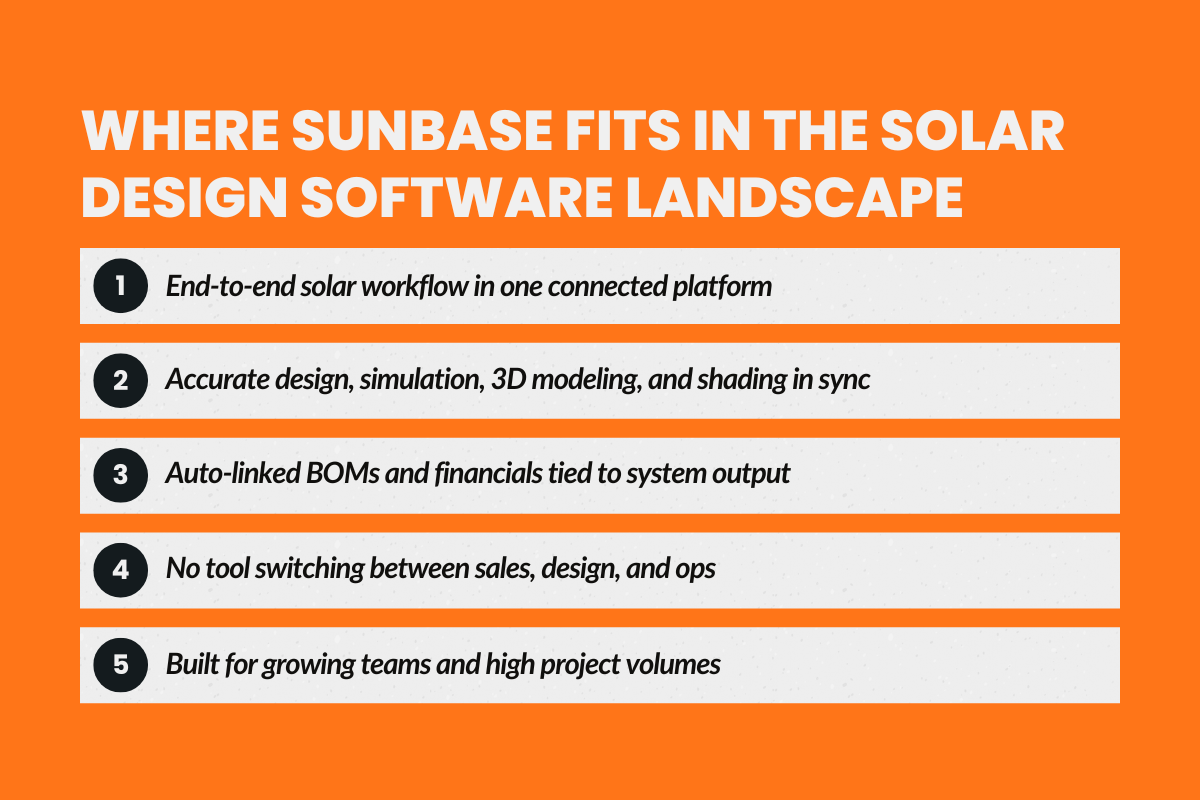
Sunbase was built for solar companies that have outgrown fragmented tools and manual handoffs. Instead of solving one task at a time, it supports the entire solar workflow in a single, connected environment.
Sunbase brings together the following:
- Solar design software for accurate system planning
- Energy simulation grounded in realistic production modeling
- 3D modeling and shading analysis that reflect real site conditions
- BOM generation linked directly to system design
- Financial analysis and proposal generation aligned with energy outcomes
By keeping these capabilities connected, Sunbase helps teams move from initial design to build-ready projects without switching platforms or reworking data. This approach reduces friction between sales, design, and operations, making it a practical choice for solar companies focused on efficiency, accuracy, and scalable growth.
What Sunbase Is Best For:
- Growing solar businesses
- Solar design service companies
- Teams handling high project volumes
Sunbase is especially valuable when accuracy, speed, and collaboration matter across sales, design, and installation teams.
Final Takeaway: Choose Solar Design Software That Grows With Your Business
Good solar design software does more than generate layouts; it keeps every part of the project connected. When energy estimates are reliable, shading and 3D models reflect reality, and financial projections align with proposals, teams move faster, sales reps feel confident, and installations proceed without surprises.
Teams that rely on disconnected tools often notice the friction too late; miscalculations, delays, and revisions can quietly pile up.
Choosing a platform that supports the full workflow from the start makes scaling projects smoother, reducing stress and preventing small errors from becoming costly problems.
At the end of the day, the right software becomes part of how a solar business grows, rather than just another tool on the shelf.
About Sunbase
If you’ve ever felt frustrated juggling multiple tools for solar design, Sunbase was made for you. It links system design, shading, energy simulation, BOMs, and financials in one platform, so your team can focus on projects, not fixing errors. Accurate layouts, smoother approvals, and faster sales aren’t just promises; they’re built into the workflow.
Curious how it fits your team?
Reach out today and see why so many solar pros are making Sunbase their go-to platform.
FAQs
1. Which software is best for solar systems?
The best software for solar systems is one that supports the full lifecycle of complete energy systems efficiently. Look for platforms that combine 3D modeling, shading analysis, energy simulation, BOM generation, and financial analysis in a single workflow. This ensures solar developers can design accurate layouts, optimize performance, and deliver projects faster without relying on disconnected tools.
2. What is PVsyst software used for?
PVsyst is primarily used for simulating photovoltaic systems and estimating energy production. It helps solar developers analyze system performance, model shading, and forecast long-term output. While highly specialized, it focuses on energy simulation rather than managing complete energy systems efficiently, so many growing solar teams use it alongside more integrated platforms for design, proposals, and financial modeling.
3. What is the 20% rule for solar panels?
The 20% rule refers to keeping the total connected load of solar panels at or below 20% above the inverter’s rated capacity to prevent overloading. Following this guideline ensures panels operate efficiently, extends system life, and avoids energy losses. It’s a practical principle for solar developers designing complete energy systems that are safe, reliable, and high-performing.
4. How do I choose software that grows with my solar business?
Focus on platforms that manage complete energy systems end-to-end, from initial design to BOMs, energy simulation, and proposals. Efficient workflows, accurate layouts, and scalable tools reduce errors, save time, and support growing teams, making it easier to handle more projects without adding unnecessary complexity.
5. Why do financing companies care about solar design software accuracy?
Lenders review energy production and ROI projections closely. Overly optimistic or inconsistent estimates can delay approvals or lead to rejections. Accurate solar design software helps ensure financing models align with realistic system performance.
One Platform.
Zero Chaos.
Run Your Entire Business in One Platform
Sunbase replaces your CRM, proposals, scheduling, job tracking, and reporting tools — all inside one clean, connected platform.
About Sunbase
The All-In-One Platform to Run Your Entire Business
Sunbase helps you organize operations, streamline daily workflows, and manage everything - from first customer contact to final project deliver- in one connected system.
Our Mission
- Organize your business.
- Optimize your workflow.
- Automate your dailytasks
Why Businesses Choose Sunbase
One Connected Workflow
Replace scattered tools and manual processes with a single platform that brings together your team, tasks, customers, jobs, and performance data.
🌎 Global Presence
Serving the United States, Canada, India, LATAM, Australia, and 10+ international markets.
👥 11,000+ Users
Trusted by contractors, installers, project managers, sales teams, and field technicians.
🏗️ Built for All Sizes
From small contracting teams to fast-growing enterprises, Sunbase adapts to your workflow.
Stop Managing Your Business Manually. Automate It.
Sunbase automates workflows, reduces mistakes, and helps your team get more done - without hiring extra staff or juggling multiple tools.
Still Managing Your Business Across Multiple Tools?
Bring your CRM, proposals, projects, and operations into one platform built for contractors.