
Solar design software has evolved from a niche engineering tool into one of the most important pieces of technology.
The software you use can directly impact how quickly you generate proposals, how accurately you model production, and how efficiently your team moves projects from lead to installation.
But with dozens of solar design platforms on the market, choosing the right solution can be difficult. The right platform can eliminate many of the problems. The wrong one can create new operational challenges that become more expensive as your business scales.
Key Takeaways
- Not all solar design platforms solve the same problem. Choosing the wrong category, residential vs commercial vs utility-scale, is more expensive than choosing the wrong tool within the right category.
- The best solar design software depends on your business model, not just features. Residential, commercial, and utility-scale installers often need different tools.
- AI-powered design and proposal automation are now standard. Platforms that reduce design and quoting time can directly improve close rates and operational efficiency.
- CRM integration matters as much as design accuracy. Eliminating manual data entry between sales, design, and operations can save significant time and reduce errors.
- Always test software on real projects before committing. A live trial reveals workflow limitations that product demos often hide.
Top 5 Solar Design Software Tools Installers Use in 2026
Best Solar design software platforms typically combine 3D rooftop layouts, shading analysis, and automated proposals into cloud-based interfaces.
The modern solar contractor’s biggest headache is data fragmentation. For years, teams have wasted hours manually copying project details from independent CRMs into standalone design tools, and then back into separate project management apps.
In 2026, the industry is split between two distinct software philosophies: unified, "all-in-one" operational platforms and highly specialized, best-of-breed design engines. Selecting the right platform is no longer just about features; it is about infrastructure.
This review analyzes the top five tools through a technical lens, helping you decide whether your business scales better with a fully integrated suite or an API-driven stack.
Why Solar Design Software Matters More in 2026 Than Ever Before?
The residential solar market has matured dramatically since the early 2020s. Customers are more informed, competition among installers is fierce, and margins are tighter. In this environment, the quality of your design workflow is a direct competitive advantage.
Here's what's changed:
Permit and interconnection timelines are under scrutiny: Utilities and AHJs across California, Texas, Florida, and the Northeast are increasingly requiring submission-ready design documents with accurate shading analysis and system sizing. Software that produces sloppy outputs creates rework, delays, and customer dissatisfaction.
AI-assisted design features are becoming table stakes: Across most major platforms, AI-powered roof segmentation, automated shading calculations from satellite imagery, and proposal generation have been introduced. By 2026, if your software doesn't do this, you're behind.
Commercial and C&I projects are increasingly requiring bankable energy reports. Lenders, utility interconnection teams, and incentive program administrators now routinely request IEC-compliant simulation outputs.
What Criteria Do Installers Actually Use to Evaluate These Platforms?
Before comparing any specific platform, understand what actually matters to your business. Here are the ten key features that working solar installation companies consistently use when evaluating design software:
- Design Accuracy- How close are energy production estimates to actual system output? Variance matters for customer trust and internal forecasting.
- Shading Analysis Quality- Does the platform use LiDAR, satellite imagery, or drone data? How granular is the shade modeling?
- Proposal Generation- Can a sales rep generate a professional, customer-facing proposal in under 15 minutes without help from an engineer?
- CRM and Workflow Integration- Does the tool connect to your CRM (Salesforce, HubSpot, Sunbase, etc.)? Can design data flow into project management automatically?
- Speed of Layout Creation- How long does it take to go from address lookup to a complete system design? Minutes vs. hours changes close rates.
- Commercial Project Support- Does the platform handle flat roofs, carports, ground mounts, and complex shading scenarios that residential-only tools can't?
- Team Scalability- Can you manage multiple users, design templates, and project pipelines without things breaking?
- Pricing Model- Is it per-user, per-project, flat subscription, or usage-based? Hidden costs kill ROI.
- Mobile Usability- Can your sales reps run designs on-site from a tablet without needing a laptop?
- Support Quality- When something breaks before a big presentation, is there a human available to help?
The best solar proposal software now includes features that enable automated proposal generation, integrating financial modeling and customer data to enhance accuracy and appeal.
These evaluation factors form the foundation of any effective solar design software buyer's guide and help solar installers focus on business outcomes rather than marketing claims.
Where Most Installers Go Wrong When Choosing Software?
After observing how installation companies evaluate and implement design software, certain mistakes come up repeatedly:
Mistake 1: Choosing the most feature-rich tool instead of the best fit
Sunbase is a powerful platform. But if your team is four people doing 15 residential jobs a month, the cost-to-value ratio may not make sense. Don't buy enterprise software for a small-team operation.
Mistake 2: Ignoring the proposal workflow
Many teams evaluate software purely on design accuracy. But the proposal is what closes deals. If your sales reps can't generate a clean, professional proposal independently- without help from your design engineer- you have a bottleneck problem that no amount of simulation accuracy will solve.
Mistake 3: Underestimating switching costs
Every design tool builds up internal data, templates, and workflows. Switching platforms after 18 months of operation means migrating data, retraining your team, and rebuilding processes. Choose a platform you can grow with, not just one that works today.
Mistake 4: Treating CRM integration as optional
If your design tool doesn't talk to your CRM, someone on your team is manually re-entering data. That's hours per week of wasted time, plus constant risk of error. In 2026, CRM integration should be a requirement, not a nice-to-have.
Mistake 5: Buying based on demos, not trials
Every platform looks great in a sales demo. Run a real trial on an actual project, your most complex one, not an easy test case. That's where the gaps show up.
5 Best Solar Design Software- What Each Tool Actually Does Well
1. Aurora Solar- Why It Became the Default for Residential Sales Teams
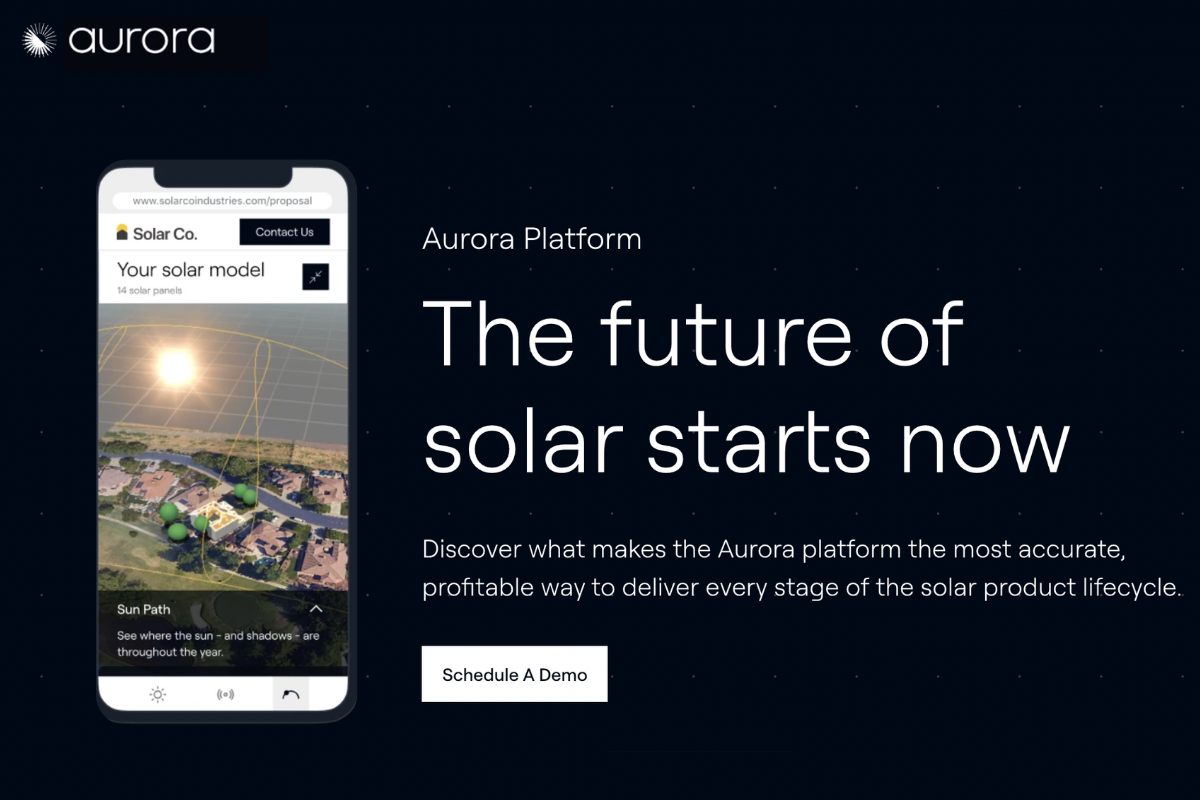
Aurora Solar has effectively become the Salesforce of solar design software. It's expensive, deeply integrated, and built around the assumption that your biggest bottleneck is the sales cycle, not the engineering workflow.
Where it genuinely excels:
- AI-Powered Design Automation: AI-powered roof segmentation from aerial imagery dramatically reduces design time, allowing reps to create layouts in minutes.
- Proposal & Financing Tools: Highly customizable proposals with built-in financing integrations help streamline the residential sales process.
- Advanced Shading Analysis: Industry-leading LiDAR-based shading analysis improves design accuracy and energy production estimates.
- CRM Integrations: Deep integrations with Salesforce and HubSpot support smoother sales and operational workflows.
Where it falls short:
- Premium Pricing: Costs can become significant for smaller installers and rapidly growing teams.
- Limited Commercial Focus: Better suited for residential projects than large commercial, flat-roof, or ground-mount installations.
- Steeper Learning Curve: New users often require several weeks of training before becoming fully productive.
Best fit: Residential installers with strong sales teams who need to close at volume and can justify the cost through improved conversion rates.
Pricing:
- Basic Plan: $159 per user/month
- Premium Plan: $259 per user/month
- Enterprise Plan: Custom pricing
2. OpenSolar- Why Free Doesn't Mean Weak
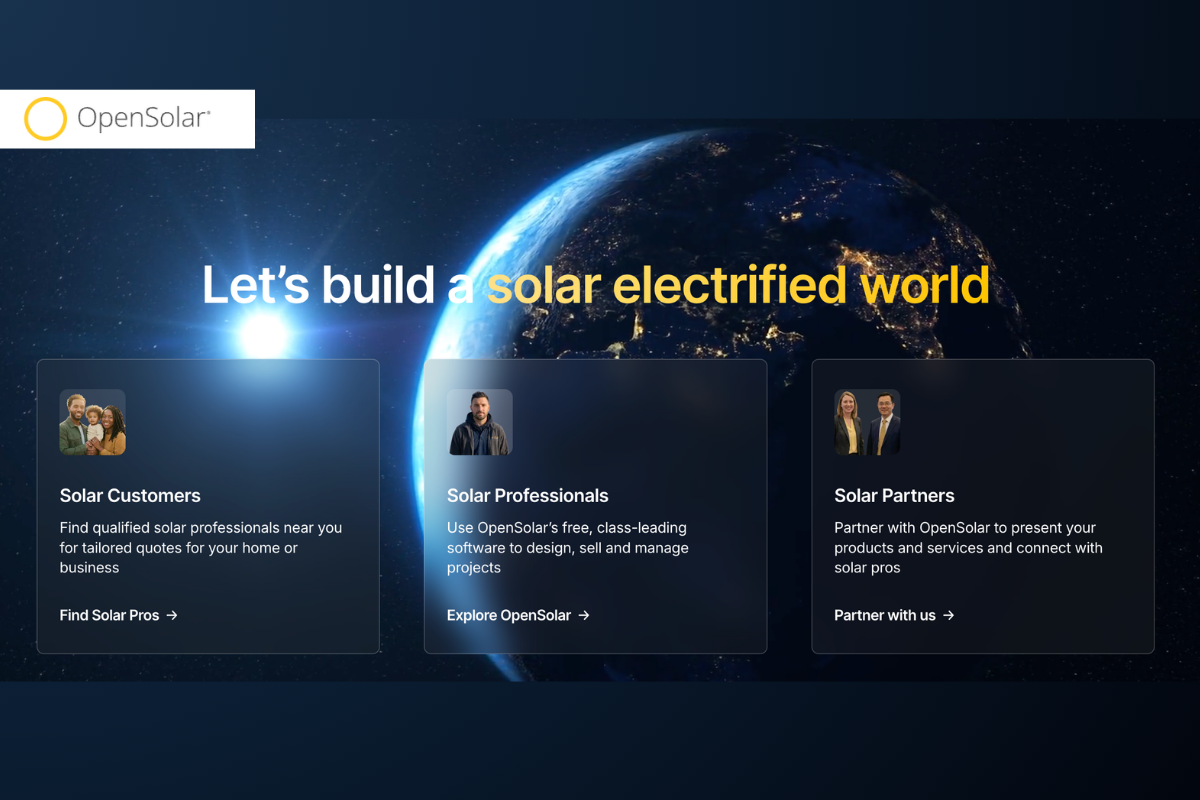
OpenSolar entered the market as the accessible alternative and has matured into a genuinely capable platform. For new installers, the free solar design software removes the classic chicken-and-egg problem of needing revenue to afford software but needing software to generate revenue.
Where it genuinely excels:
- True Free Tier: The free tier includes real design tools, not a crippled demo. New installers can run full residential designs and generate proposals without paying anything.
- Clean UI: The UI is among the cleanest and most intuitive in the industry. Onboarding is fast.
- Ecosystem & Add-ons: The paid tiers introduce battery storage design, advanced proposal customization, and more integration options at competitive price points.
Where it falls short:
- Pipeline Management: While OpenSolar has added project management and Kanban boards, dedicated standalone CRM tools offer deeper automation and workflow depth.
- Shading & Commercial: Complex commercial arrays can strain the platform, and it lacks the automated, LIDAR-heavy shading algorithms of higher-priced enterprise alternatives.
Best fit: New entrants to the solar installation market; small residential operations looking to professionalize their proposals without large upfront software costs.
Pricing:
- Core platform: Free to use
- Advanced partner tools: Custom enterprise pricing
3. HelioScope- Why Engineers Trust It for Commercial Projects
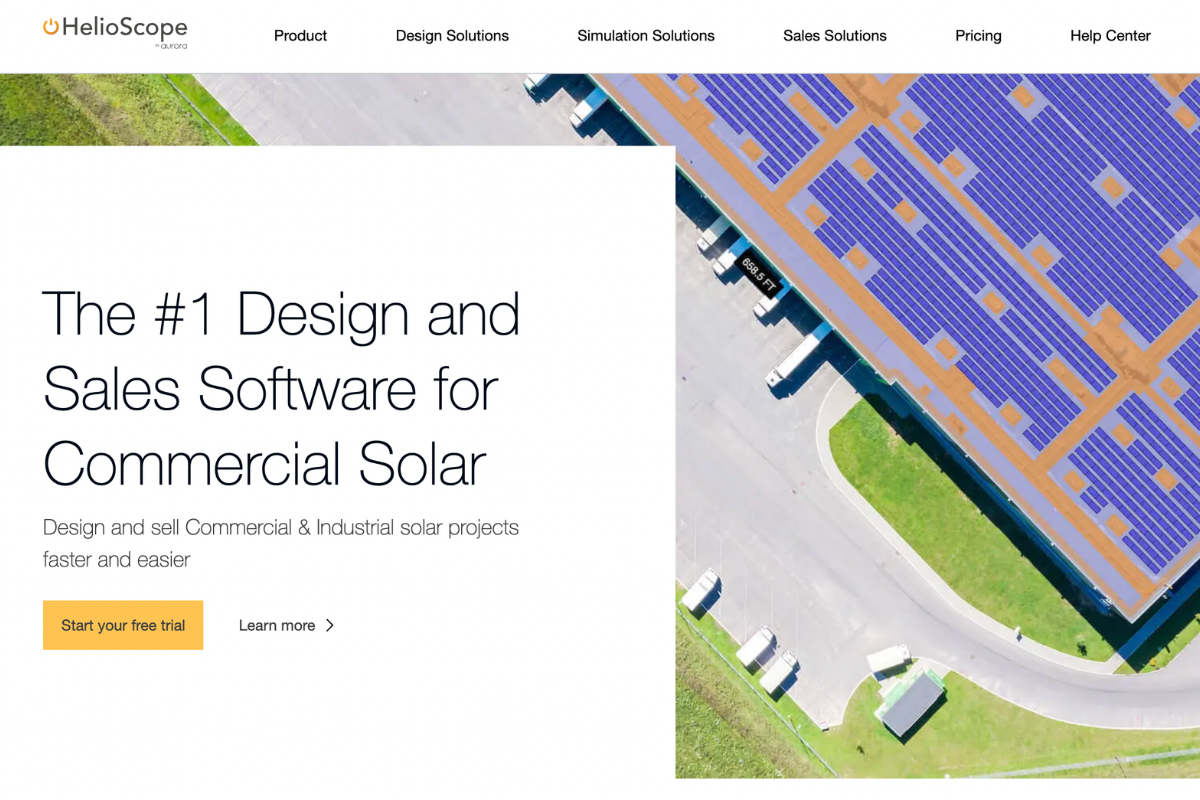
HelioScope was built by engineers for engineers. It's not a sales tool. It's not a proposal generator. It's a simulation engine, and it's very good at what it does. Developed by Folsom Labs and acquired by Aurora Solar in 2021, the platform has continued to develop with a focus on commercial and utility-scale applications.
Where it genuinely excels:
- Simulation accuracy for commercial and C&I projects is excellent. Multiple string configurations, inverter clipping analysis, and complex shading scenarios are handled well.
- Bankable Reports: Detailed performance reports are respected by engineers, AHJs, and some utility interconnection teams.
- C&I Design Flexibility: Works well for ground mount, carport, and flat-roof commercial applications that residential tools handle poorly.
Where it falls short:
- Proposal Generation: There's no meaningful proposal generation capability. You're generating engineering reports, not customer-facing sales documents.
- No CRM integration worth speaking of: It's a design and simulation tool that lives in isolation from your sales and operations workflow.
- The learning curve is real. This is not a tool your sales rep should be using.
Best fit: Engineering teams at EPCs and commercial installers. Ideally used alongside a dedicated CRM and proposal tool, not as a standalone business platform.
Pricing:
- Basic Plan: $159 per license/month
- Pro Plan: $259 per license/month
- Annual Basic: $1,620 per license/year
- Annual Pro: $2,640 per license/year
4. SolarGraf- The Standard for Bankable Energy Yield Reports
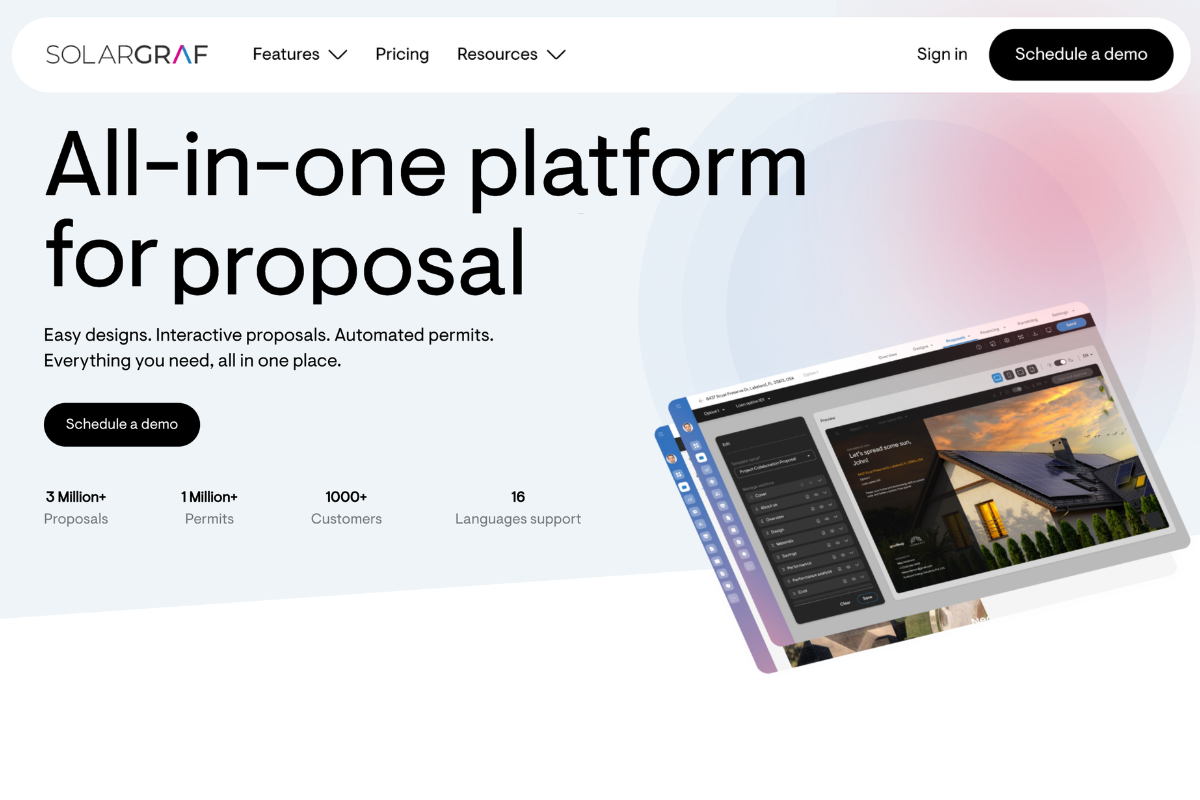
SolarGraf occupies a unique position in this market: it's not competing with Aurora or OpenSolar. Unlike legacy engineering tools, Solargraf is tailored specifically for residential, commercial, and industrial (C&I) contractors who require an all-in-one platform for rapid design, accurate shading analysis, and customer proposals.
It combines advanced remote-sensing data with an intuitive interface to streamline the sales pipeline, rather than functioning as a utility-scale simulation tool.
While it shares some DNA with legacy simulation tools, SolarGraf has modernized the interface and cloud accessibility that older engineering platforms lacked.
Where it genuinely excels:
- Fast Proposals: It is renowned for rapid customer engagement, boasting the ability to generate quotes in as little as 3 minutes.
- AI & Design: It uses LiDAR-assisted 3D modeling and AI-powered shading analysis to design roof layouts, fire pathways, and battery systems quickly.
- Permitting: It generates permit-ready plan sets and single/three-line diagrams
Where it falls short:
- It's not a standalone CRM: Like Aurora or OpenSolar, Solargraf requires external CRM integrations if you want a complete, end-to-end business management system.
- It's not for Utility-Scale: For heavy financial modeling tied to massive utility-scale project financing and strict bankability standards, engineers use dedicated software like PVsyst or PVcase.
Best fit: Residential and C&I solar installers and sales teams looking to streamline customer-facing proposals, financing, and rapid design.
Pricing:
- Starter Tier: $2,799/year (up to ~240 projects)
- Small Business: $4,799 USD annually (up to ~480 projects)
- Teams: $6,399 USD annually (up to ~720 projects)
- Enterprise: $12,999 USD annually (up to ~1500 projects)
5. Sunbase- Why All-in-One Matters for Residential Installers
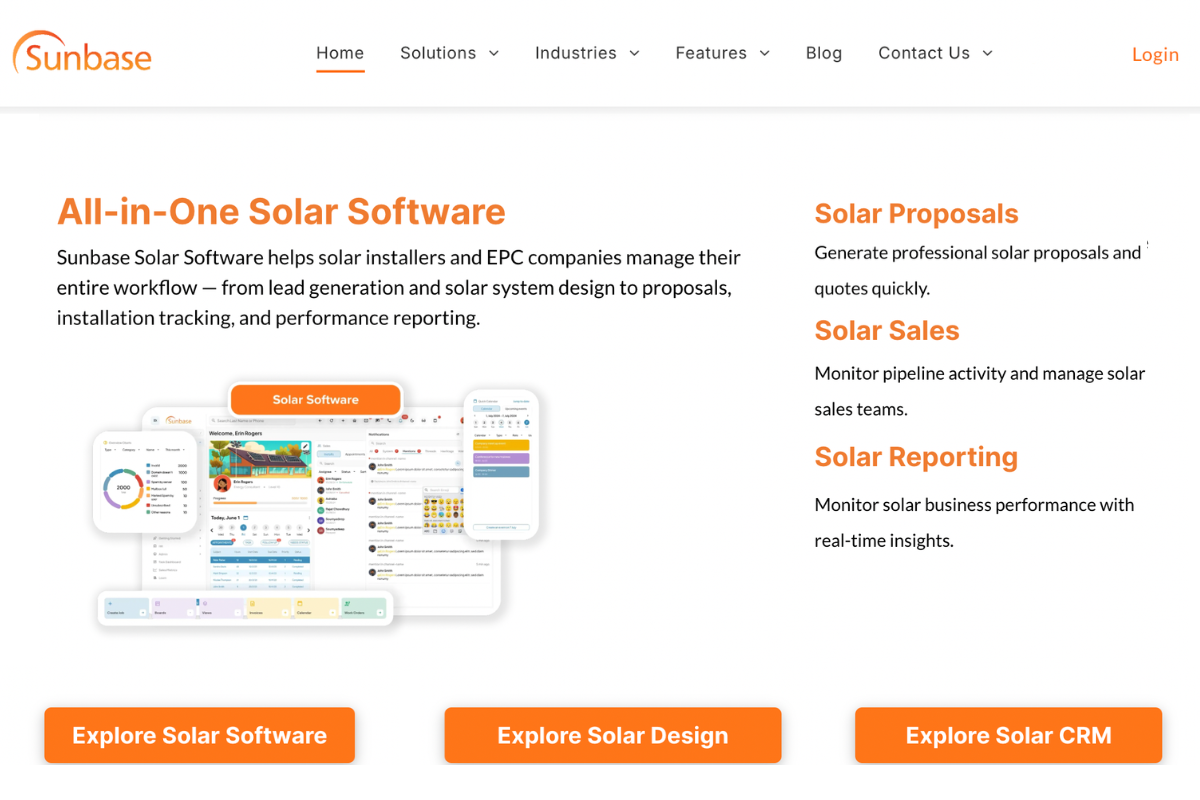
Sunbase takes a different approach from the other platforms on this list. Rather than being purely a design tool, Sunbase is built as an end-to-end platform for residential solar installation companies- covering CRM, lead management, design, proposal generation, project management, and reporting in an integrated workflow.
Where it genuinely excels:
- Seamless Unified Workflow: The native CRM integration eliminates the data re-entry problem that plagues teams using standalone design tools alongside separate CRM platforms.
- Proposal/Design Synergy: Proposal generation is tightly connected to the design workflow, meaning the handoff from design to sales to installation is cleaner.
- Built for the Industry: Built specifically for the operational reality of residential solar installation businesses, not repurposed from another industry.
Where it falls short:
- Commercial Limitations: Commercial project design depth does not match HelioScope.
- Simulation Complexity: Simulation accuracy for large or complex projects doesn't match SolarGraf or HelioScope.
Best fit: Residential solar installation businesses that want a single platform to manage their entire pipeline from lead to installed system and are tired of paying for five different tools that don't talk to each other.
Pricing:
- Starts from $59 per user per month
- Varies based on team size and usage requirements
- Enterprise plans available for larger installers
- Custom quotes are typically provided through sales teams.
Quick Comparison: Top 5 Solar Design Platforms at a Glance
| Platform | Best For | Shading Analysis | Proposal Gen | CRM Integration | Starting Price |
|---|---|---|---|---|---|
| Aurora Solar | Residential sales-driven teams | ✅ LIDAR + AI | ✅ Excellent | ✅ Strong (Salesforce, HubSpot) | $159/user/month (billed monthly) |
| OpenSolar | New/small installers, free tier | ✅ Satellite | ✅ Good | ⚠️ Integrates via API & Connectors | Free tier available |
| HelioScope | Commercial/C&I, engineering teams | ✅ Advanced | ✅ Good (Sales/Proposal Mode) | ⚠️ Basic lead tools | $159/user/month (billed monthly) |
| SolarGraf | Engineering, bankable reports | ✅ Best-in-class | ✅ Excellent (Sales tool) | 🟡 Basic | $2,799/yr |
| Sunbase | Full-cycle residential installers | ✅ Satellite + AI | ✅ Integrated | ✅ Native CRM | $59 per user per |
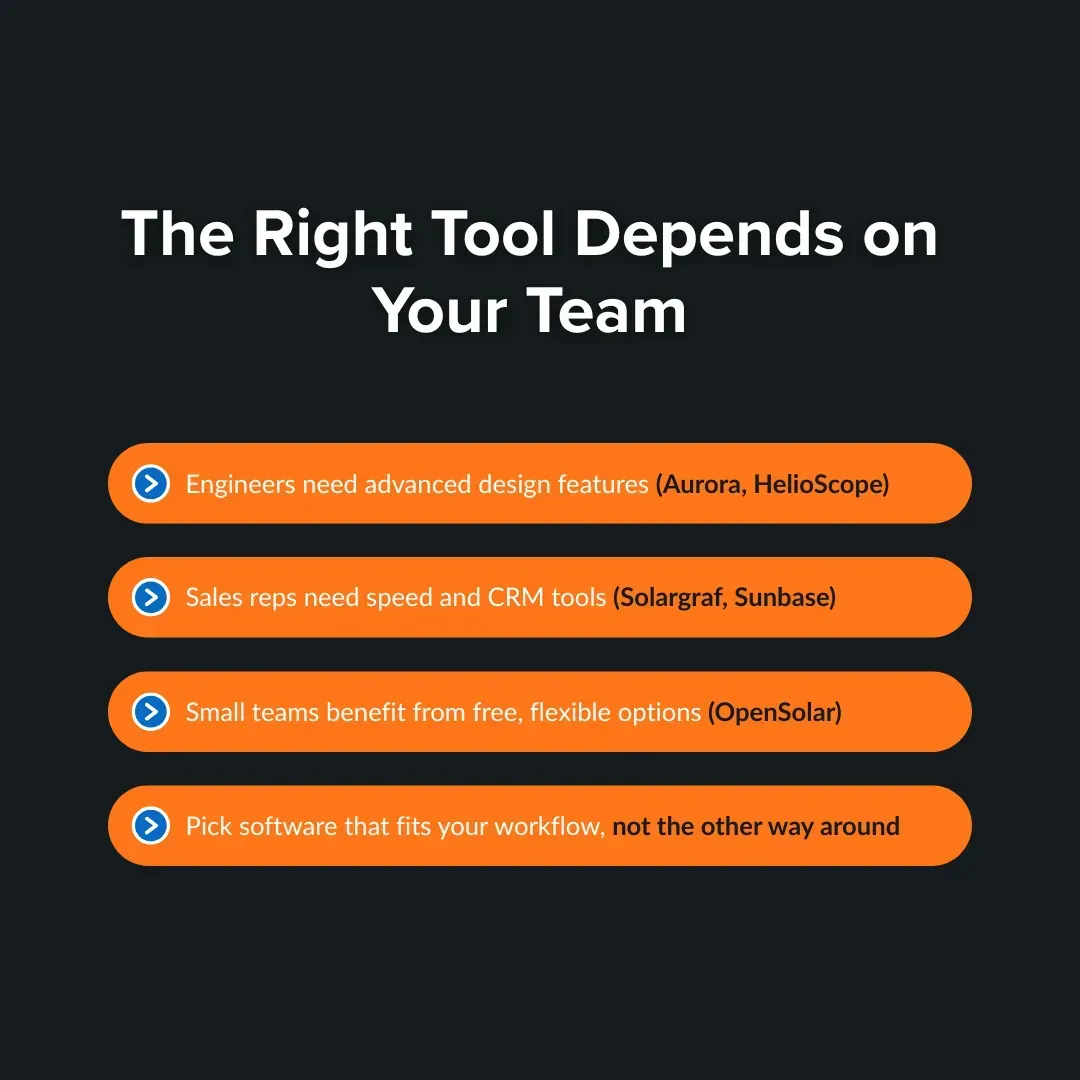
While the above solar design software comparison of features and pricing provides a useful starting point, business size and workflow requirements often have a greater impact on long-term success.
If you're a solo installer or doing under 10 projects/month:
Start with OpenSolar: The free tier is legitimately useful, not crippled. You get a proper design environment, proposal generation, and basic CRM features. It gives you time to understand what you actually need before committing to an expensive platform.
If you're a growing residential installer doing 10–100+ projects/month:
Aurora Solar Vs Sunbase The two serious contenders. Aurora has the deeper feature set, especially for sales-led organizations that want to close deals with beautiful proposals and AI-assisted designs.
Sunbase offers tighter end-to-end workflow integration, including CRM, project management, and design in a single platform, which matters a lot when you're trying to avoid data silos between your sales, ops, and design teams.
If you're an EPC or commercial installer doing C&I projects:
HelioScope is your core design tool: Its simulation engine handles complex roof geometries, multiple inverter configurations, and large-scale ground-mount scenarios that residential tools handle poorly. However, HelioScope alone won't run your business; you'll still need a CRM and proposal tool alongside it.
If you're doing utility-scale or projects requiring bankable energy reports:
SolarGraf is non-negotiable: Lenders, utilities, and incentive program administrators expect IEC-compliant simulation outputs, and SolarGraf is the accepted standard for projects of this scale. This isn't really a debate; it's an industry norm.
If you're managing a multi-location operation with different project types:
You likely need a combination: Sunbase or Aurora for residential pipeline, HelioScope for commercial engineering, and SolarGraf when bankable reports are required. The risk here is tool sprawl. The key is to make sure your CRM sits at the center, and data doesn't get siloed between platforms.
How Integrations and CRM Fit Into Your Design Workflow?
The design tool is one piece of your software stack. The question of how it fits into everything else- your CRM, your project management tool, your finance partners, your utility interconnection submissions- is often more important than the design features themselves.
Here's how integration capability breaks down across the top platforms:
Aurora Solar connects natively with Salesforce, HubSpot, and several solar financing platforms, including Mosaic and GreenSky. For residential companies with a structured sales process, this is Aurora's biggest practical advantage.
OpenSolar provides a built-in CRM directly inside its free tier, allowing smaller teams to manage their lead pipelines natively. For companies using external tools, it offers a robust, enterprise-grade API to sync data with third-party software.
HelioScope is largely isolated from CRM workflows. It produces design and simulation outputs, not business workflow automation. Expect to manage integration manually or through middleware.
SolarGraf has evolved beyond a standalone engineering tool. Owned by Enphase, it now features built-in, one-click integrations with top solar lenders like Mosaic, GoodLeap, and LightReach, allowing users to run credit and apply for financing inside the platform.
Sunbase takes the opposite approach; it's built as a full-stack platform where solar CRM and design are native to the same system. For teams that have struggled with tool fragmentation, this is the main value proposition.
The practical question to ask yourself: "How many times does the same piece of customer data need to be manually entered across our current tools?" If the answer is more than once, you have an integration problem that your next software choice should solve.
Real-World Scenarios: Which Solar Design Software Would You Actually Use?
Theoretical comparisons only go so far. Here's how real solar installation businesses map to specific platforms based on the operational situations that actually drive software decisions.
Scenario 1: The Residential Installer Losing Deals on Proposal Speed
The situation: A 12-person residential solar company in Phoenix is closing around 25 jobs a month. Their biggest pain point: sales reps are waiting 24–48 hours for the design team to create proposals. By the time a quote goes out, two competitors have already followed up.
What they actually need: A platform where a sales rep can generate a complete, professional proposal during or immediately after a site visit. AI-assisted roof layout, integrated financing options, and mobile access are table stakes.
Best fit here: A sales-forward platform with fast AI roof modeling and built-in proposal generation. The bottleneck is the handoff between design and sales- so either the tool needs to eliminate that handoff or make it fast enough that it doesn't cost deals.
Scenario 2: The EPC That Keeps Losing on Engineering Credibility
The situation: A commercial EPC in Texas is bidding on C&I projects in the 200 kW–2 MW range. Their proposals look good, but they keep losing to competitors whose energy yield reports carry more weight with the customer's financial team and utility rep.
What they actually need: Simulation-grade design tools that produce outputs that engineers and lenders respect. That means detailed performance modeling, inverter clipping analysis, bifacial gain calculations, and loss diagrams.
Best fit here: HelioScope for system design and layout, SolarGraf for bankable energy yield documentation. The EPC probably also needs a separate proposal and CRM tool since neither HelioScope nor SolarGraf handles that side of the pipeline.
Scenario 3: The Multi-State Installer Drowning in Tool Fragmentation
The situation: A regional installer operating across four states has six tools running simultaneously- a design platform, a separate CRM, a project management tool, a proposal builder, a financing portal, and a permitting service. Data gets re-entered three or four times per job. Errors are constant. No one has a single view of where any deal stands.
What they actually need: Either a platform that natively combines design, CRM, and project management or a tighter integration architecture between the tools they already have.
Best fit here: This is exactly the use case where an all-in-one platform like Sunbase delivers ROI that a best-of-breed stack can't match at this company's scale. The time savings from eliminating manual data re-entry and the reduction in errors across handoffs typically pay for themselves quickly.
Scenario 4: The New Installer Who Needs to Look Professional on Day One
The situation: A two-person startup entering the residential market in Florida has a $0 software budget for the first 90 days. They need to generate real proposals, run basic shade analysis, and win their first 10 jobs without looking like amateurs.
What they actually need: A platform with a legitimate free tier that produces professional customer-facing proposals and handles the basic design workflow.
Best fit here: OpenSolar's free tier is purpose-built for this situation. It won't scale to 100 jobs a month without hitting limits, but it gets a new installer operational immediately with professional outputs.
Scenario 5: The Established Installer Evaluating a Platform Switch
The situation: A mid-size installer doing 80 residential jobs a month has been on the same design platform for three years. Their team knows the tool well, but it doesn't integrate with their new CRM, the mobile experience is poor for on-site reps, and the battery storage design is clunky. They're evaluating a switch but are worried about disruption.
What they actually need: A platform that can import their existing project templates and customer data, integrates cleanly with their CRM, and has a fast enough onboarding curve that reps aren't unproductive for months.
Key consideration: This is where the switching cost conversation matters most. Before committing to any new platform, this installer should run a structured 30-day trial on 10 real projects, not a controlled demo. That's the only way to know whether the new tool actually fits their specific workflow or just looks good in a presentation.
What the Solar Design Software Market Looks Like?
The solar software landscape has consolidated significantly since 2020. Several smaller platforms have been acquired or shut down. The major players have raised substantial venture capital and are investing heavily in AI features, mobile experiences, and enterprise integrations.
Key trends and technologies shaping the market in 2026:
AI-assisted design is mainstream: Every major platform now offers some form of AI-powered roof detection, automated obstacle identification, and system sizing recommendations. The quality varies, but manual roof tracing from scratch is increasingly a sign of outdated tooling.
Battery storage integration is now standard: With US battery attachment rates climbing past 30% on residential projects in key markets like California and Hawaii, platforms that can't model battery systems alongside solar are at a competitive disadvantage.
The commercial market is the growth frontier: Residential solar growth is real but increasingly competitive. C&I and commercial solar are where margin opportunities exist, and the software platforms targeting that segment are seeing renewed investment and feature development.
Interconnection complexity is increasing: Grid interconnection timelines across major US utilities have extended significantly. Design software that produces utility-compatible documentation and supports fast interconnection applications has real operational value in 2026.
The all-in-one vs. best-of-breed debate continues: There's no universal answer. Enterprise-scale installers typically run best-of-breed stacks- Aurora for design, Salesforce for CRM, and separate tools for project management. Smaller and mid-market installers increasingly value the simplicity of a platform like Sunbase that handles the full workflow in one place.
How to Shortlist the Right Design Software in 30 Minutes?
If you’ve read this far, you need a fast filtering process. Here’s how to narrow your options without overcomplicating the decision.
Step 1: Map Your Current Sales and Design Workflow
Identify where friction actually exists. Is it proposal turnaround time, modeling validation, internal handoffs, or team coordination? The right solar design tool should solve your primary constraint, not introduce new complexity.
Step 2: Eliminate Tools That Don’t Match Your Sales Motion
If your business depends on high-velocity proposals, remove tools built primarily for deep engineering validation. If your projects require technical precision, remove platforms optimized only for speed. Eliminate misaligned options early.
Step 3: Use the Comparison Framework to Narrow to Two Options
Apply the four evaluation pillars: modeling depth, revenue impact, workflow fit, and long-term scalability. Score each platform objectively and shortlist the two that best align with your operational reality.
Step 4: Test for Speed, Handoffs, and User Experience During Demos
During demos, simulate real conditions. Measure how long it takes to generate a proposal, how assumptions flow between teams, and how intuitive the interface feels under pressure. Focus on practical usability.
Conclusion
The solar installation business is operationally complex, more so than it's ever been. Customers are more demanding. Competition is fiercer. Permitting and interconnection requirements are stricter. The software you use to design systems, generate proposals, and manage projects is no longer a back-office decision. It's a competitive variable.
The platforms reviewed in this guide aren't ranked in order of overall quality; they're ranked for different types of businesses. Aurora Solar, OpenSolar, HelioScope, SolarGraf, and Sunbase each do something genuinely well. The question isn't which one is best. The question is which one is best for you.
Use the business-size framework in this guide to narrow your options. Run a real trial on an actual project before you commit. Evaluate integration capability as seriously as design accuracy. And don't underestimate the value of a platform that eliminates the data silos between your design, sales, and operations teams.
The best solar design software isn't the one with the most features. It's the one your team actually uses consistently, efficiently, and without frustration.
If you're a residential solar installer spending too much time jumping between disconnected tools, Sunbase was built specifically for your workflow. Request a live demo and see exactly how your team's process from lead to installed system maps to the platform.
FAQs
Is SolarGraf required for commercial solar projects?
Not always, but SolarGraf-generated energy yield reports are increasingly expected by lenders, utilities, and incentive program administrators for projects above 500 kW. For smaller commercial projects, HelioScope outputs are generally accepted.
Can one solar design platform handle both residential and commercial projects?
Most platforms do better at one than the other. Aurora is stronger for residential. HelioScope is stronger for commercial. Companies handling both at significant volume often run separate tools for each project type.
How much does solar design software cost in 2026?
Solar design software costs can range from free to several hundred dollars per month, depending on the platform's capabilities, team size, and intended use. Entry-level tools like OpenSolar offer free plans for residential installers, while advanced platforms such as Aurora Solar and HelioScope typically charge monthly subscription fees.
What should I look for in solar design software if I'm new to the industry?
Prioritize ease of onboarding, quality proposal generation, and pricing that fits your current revenue. OpenSolar is the most common starting point for good reason. As your volume and project complexity grow, reassess whether your platform is keeping up.
Can solar design software create permit-ready documents?
Many modern platforms can generate permit-ready plan sets, single-line diagrams, and supporting documentation. However, the depth of permitting features varies significantly between platforms.
Which solar design software is best for growing solar businesses?
The best solar design software for growing solar businesses combine accurate system design with tools that streamline the sales process. Look for features such as automated panel layouts, shading analysis, energy production estimates, proposal generation, and CRM integration. Platforms that bring design and customer management into one workflow, such as Sunbase, can help installers reduce manual work, respond to leads faster, and scale operations more efficiently.
One Platform.
Zero Chaos.
Run Your Entire Business in One Platform
Sunbase replaces your CRM, proposals, scheduling, job tracking, and reporting tools — all inside one clean, connected platform.
About Sunbase
The All-In-One Platform to Run Your Entire Business
Sunbase helps you organize operations, streamline daily workflows, and manage everything - from first customer contact to final project deliver- in one connected system.
Our Mission
- Organize your business.
- Optimize your workflow.
- Automate your dailytasks
Why Businesses Choose Sunbase
One Connected Workflow
Replace scattered tools and manual processes with a single platform that brings together your team, tasks, customers, jobs, and performance data.
🌎 Global Presence
Serving the United States, Canada, India, LATAM, Australia, and 10+ international markets.
👥 11,000+ Users
Trusted by contractors, installers, project managers, sales teams, and field technicians.
🏗️ Built for All Sizes
From small contracting teams to fast-growing enterprises, Sunbase adapts to your workflow.
Stop Managing Your Business Manually. Automate It.
Sunbase automates workflows, reduces mistakes, and helps your team get more done - without hiring extra staff or juggling multiple tools.
Still Managing Your Business Across Multiple Tools?
Bring your CRM, proposals, projects, and operations into one platform built for contractors.