
If you've spent any time researching software for your roofing business, you've probably noticed the software categories across the roofing industry overlap more than they used to.
CRMs now handle scheduling, and project management tools can handle customer communication. Everyone claims to do everything, so how do you actually decide what you need?
The answer depends less on your company size and more on how complex your operations have gotten.
If you are a small crew handling straightforward reroofs, you need something very different from a growing team with multiple crews, insurance claims, and service lines.
Key Takeaways
- CRM primarily manages leads and customer relationships, while project management software coordinates active jobs, schedules, crews, and tasks.
- Business complexity determines what you need. A 10-person insurance restoration company may need more coordination than a 40-person residential roofing company.
- Many growing roofing companies eventually need both capabilities, whether from separate tools or one connected platform.
- Common signs you've outgrown your current setup: sales and production constantly chasing each other for updates, customer info scattered across systems, and reporting that requires manual spreadsheet work.
- The biggest software mistakes are buying enterprise tools too early, waiting too long to upgrade, and solving every new problem with another app.
See How Sunbase Brings It All Together
Whether you're a five-person crew or scaling into storm restoration and solar, Sunbase grows with you; no need to bolt on another app for every new challenge. See Sunbase in Action.
Roofing CRM or Project Management Software: Which Does Your Business Need?
For most roofing contractors, software needs change as the business grows. This guide walks through what companies typically need at each stage, from solo contractors trying to stay on top of leads to multi-location businesses running roofing, storm restoration, and solar under one roof.
You'll find a breakdown of how CRM and project management software differ, the warning signs that you've outgrown your current setup, and a simple framework for deciding whether the best roofing CRM software for your needs is enough or whether you also need stronger project management.
Why Roofing Software Labels Aren’t Enough?
A customer relationship management system, project management software, or estimating software no longer sit in completely separate categories.
Many CRMs now include calendars and job scheduling, while project management platforms may offer customer messaging, proposals, and sales tools.
Some vendors also use field service management software to describe platforms that combine scheduling, dispatch, field communication, and job tracking, adding another overlapping label.
The label alone therefore tells you very little about how the software will function inside your business. Two vendors may both describe their platform as a roofing CRM, even though one is built primarily for lead management and the other extends into production, crews, and job tracking.
Use the category as a starting point, then look at the depth of its CRM features and how well the platform supports sales, customer management, or job execution.
Does it mainly help your team win and manage customers, or does it help coordinate the work after a contract is signed? That distinction is more useful than the terminology vendors place on their websites.
CRM vs. Project Management Software: What Each One Actually Manages
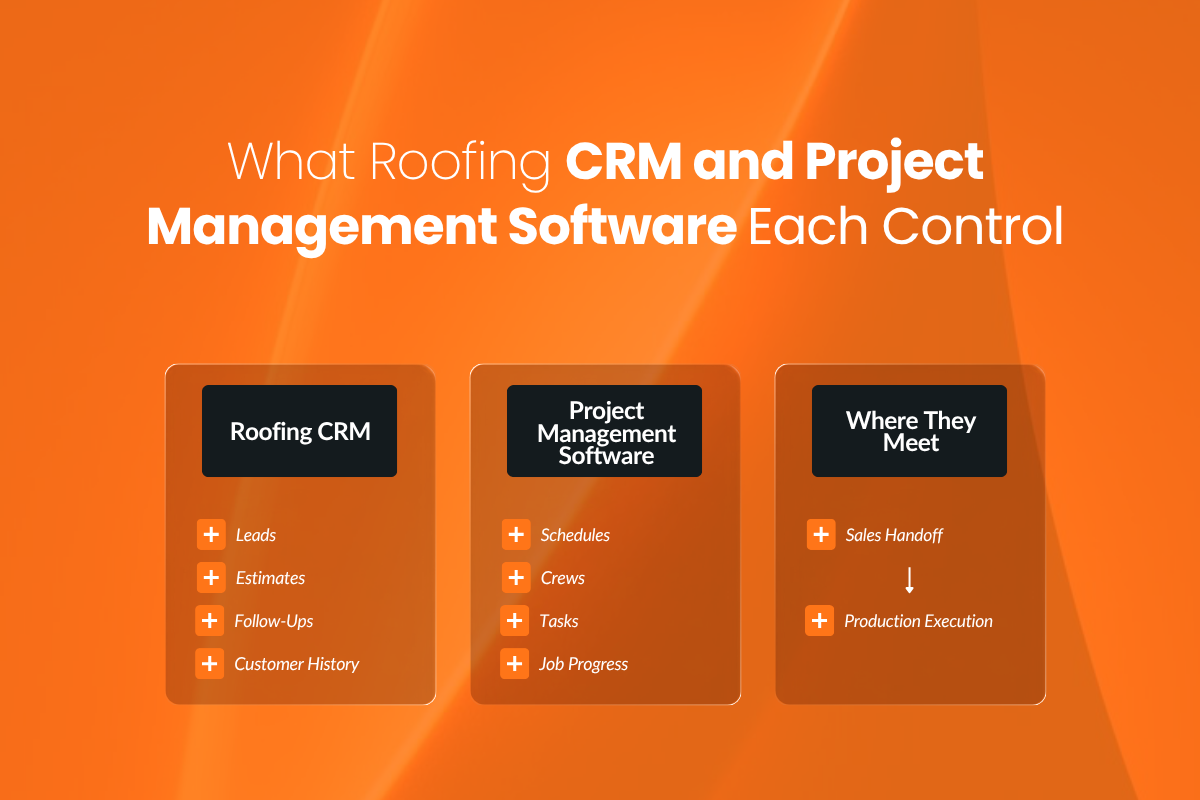
Although the features often overlap, roofing CRM and project management software are built around different parts of the business.
| Roofing CRM | Project Management Software |
|---|---|
| Manages leads, prospects, and customers | Manages active jobs and operational work |
| Tracks new leads and referral sources | Organizes schedules and production timelines |
| Manages the sales pipeline | Coordinates crews, subcontractors, and office teams |
| Automates callbacks and follow-ups | Assigns tasks and tracks responsibilities |
| Stores communication and customer history | Tracks job progress, milestones, and delays |
| Tracks estimates and proposals | Coordinates job execution after the sales handoff |
A roofing CRM is primarily designed to help the company capture opportunities, move prospects through the sales process, record customer interactions, and maintain long-term relationships.
Project management software is designed to coordinate the people, tasks, schedules, and resources required to complete the work.
The distinction is not always absolute. Customer communication may continue throughout production, and job information often begins during the sales process.
That is why growing roofing companies frequently need both capabilities, whether they use two connected systems or one platform that supports the full workflow.
What Roofing Companies Typically Need at Each Growth Stage?
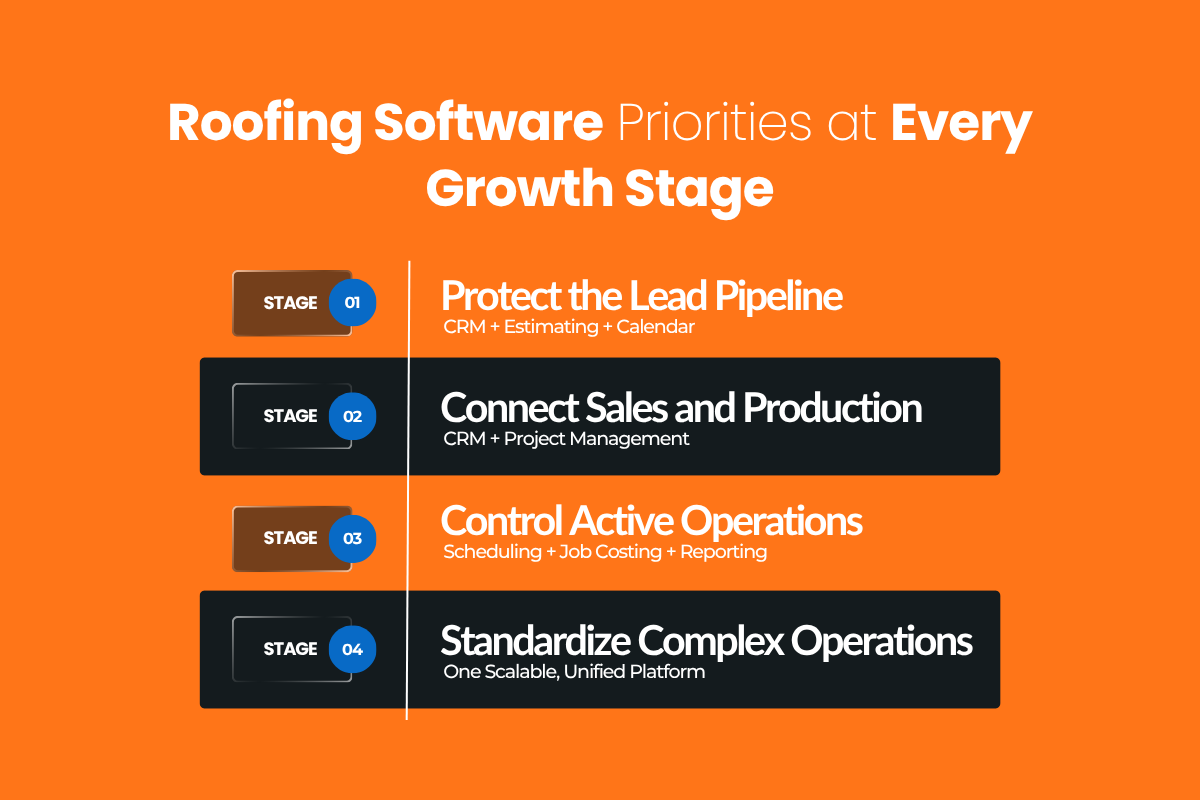
A small roofing company handling complex insurance restoration projects may need stronger production tools earlier than a larger contractor completing predictable residential reroofs.
Use the stages below as a guide, then adjust for the complexity of your jobs, teams, and service lines.
Stage 1: Solo Contractor or Small Team
At this stage, the biggest risk is usually not production complexity. It is losing track of potential customers while managing sales, roofing estimates, and jobs at the same time.
The contractor may be relying on a phone, calendar, inbox, and spreadsheets to remember callbacks, track estimates, and store customer details. Because only a few people are involved in completing each job, scheduling and project coordination may still be manageable without a dedicated project management system.
What to prioritize: A basic roofing CRM, estimating software, and a reliable calendar may be enough. The immediate goal is to keep leads organized, follow up consistently, and avoid recreating customer information in multiple places.
Stage 2: Growing Roofing Business
As the company adds salespeople, office staff, or additional crews, each roofing project must pass between more people. A salesperson may close the job, an office employee may schedule it, and the production team and crew at the job site may need the measurements, scope, materials, and customer expectations.
This is where a CRM focused mainly on leads and sales can begin to show its limits. The company still needs strong lead management, but it also needs a structured way to manage handoffs, job schedules, material coordination, customer updates, and production responsibilities.
What to prioritize: CRM and project management capabilities become equally important. Whether they come from separate connected tools or one platform, sales and production should be able to work from the same job information.
Mobile access also becomes important as more work happens away from the office. Field teams should be able to update job status, photos, checklists, and notes from the job site so office staff can see progress without waiting for a call or end-of-day update.
Stage 3: Established Roofing Company
An established roofing company may be coordinating multiple sales representatives, office employees, production managers, crews, subcontractors, and active projects at the same time. Some jobs may also involve insurance documentation, supplements, inspections, permits, or several stages of customer approval.
At this point, the challenge is no longer simply keeping leads organized. It is maintaining visibility across business operations. Disconnected systems make it harder to know what has been sold, what is scheduled, what is delayed, who is responsible, and whether a job is progressing as expected.
Job costing also becomes more important at this stage. Tracking revenue and job expenses as work progresses gives the company an early view of projected profits and losses instead of waiting until the project is complete to discover margin problems.
What to prioritize: The business needs connected sales, scheduling, production, communication, job tracking, and reporting workflows. Operational coordination should become a central part of the software decision.
Stage 4: Complex, Multi-Location, or Multi-Service Operation
For large roofing companies with multiple locations, or contractors managing roofing and solar alongside storm restoration, commercial roofing and repairs coordination becomes more complex.
Different departments may follow different workflows, but leadership still needs consistent customer records, reporting, permissions, and processes across the business. Adding a separate application for every location or service line can quickly create duplicate data and fragmented reporting.
What to prioritize: A unified CRM and project management platform that can support multiple teams, workflows, services, and locations without separating the company into disconnected systems.
Signs You’ve Outgrown Your Current Software
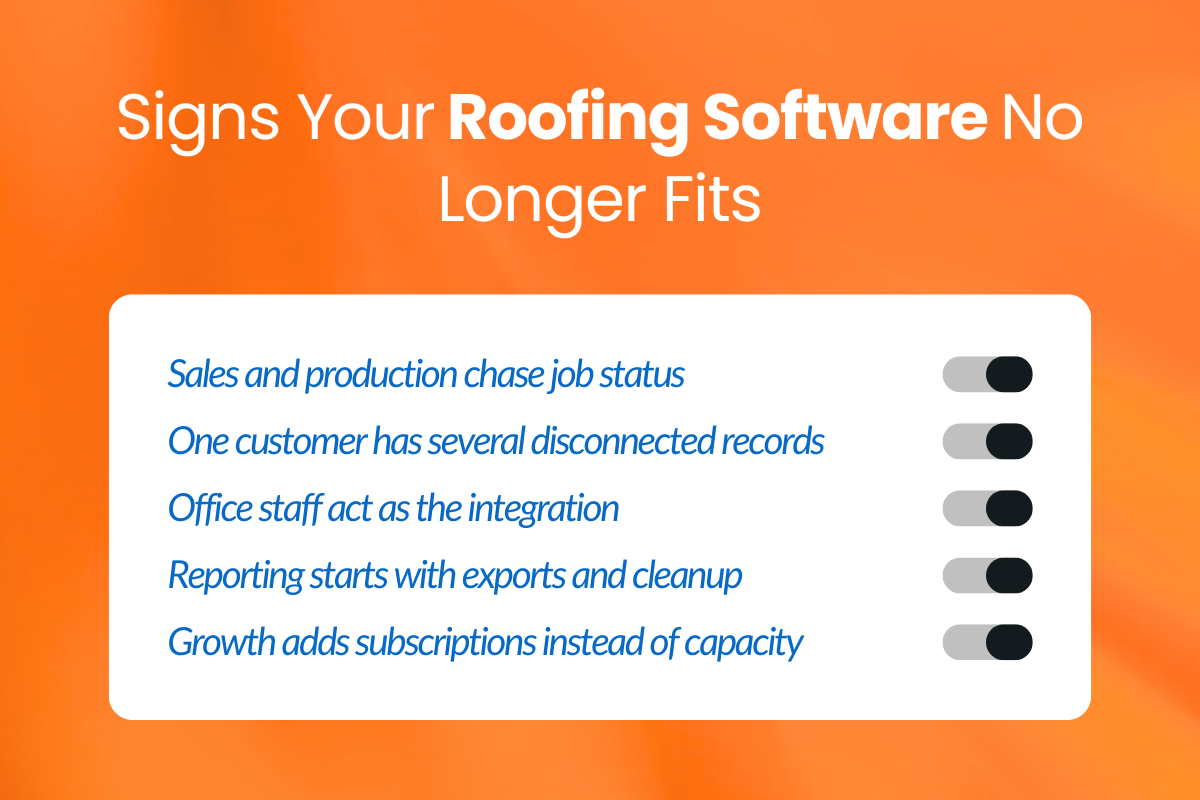
Software does not become inadequate only when the company reaches a certain number of employees.
In most cases, the warning signs appear in everyday work: repeated questions, duplicate data entry, missing information, and processes that rely too heavily on individual employees to remember what to do next.
1. Sales and Production Keep Asking Each Other for Updates
When sales and production operate from different systems, neither team has a complete view of the job. Production may need to ask whether the contract has been signed, what the customer was promised, or whether materials have been approved. Sales may repeatedly check when the job is scheduled or whether work has been completed.
Real-world scenario: A sales rep tells a homeowner their roof will be scheduled as soon as the contract is signed, but production cannot see that the signature came in.
The office manager messages the sales rep for confirmation, the crew waits for the go-ahead, and the homeowner calls asking why nobody has scheduled the job yet.
2. Customer Information Lives in Multiple Places
A customer’s contact details may be stored in the CRM, while estimates live in another tool, billing data sits in accounting software, job photos are saved in a shared drive, and production notes are buried in messages or spreadsheets.
This fragmentation makes it harder for employees to find reliable information and increases the risk of someone working from an outdated record.
Real-world scenario: A homeowner approves a material change with the sales rep, but the update stays in a text thread instead of reaching the main job record.
The office manager sees the original selection, the crew arrives with the wrong materials, and the homeowner has to explain the change again before work can begin.
3. Office Staff Manually Move Information Between Systems
If office employees regularly copy names, addresses, job details, measurements, or contract values from one platform into another, the software setup is creating work instead of reducing it.
When the same information must be entered more than once, it is often a sign that the company needs better integrations or a more connected platform.
Real-world scenario: A sales rep enters a homeowner’s job details into the CRM, then the office manager manually copies them into the scheduling system and work order.
One detail is entered incorrectly, so the crew arrives with incomplete instructions and has to call the office while the homeowner waits for the issue to be resolved.
4. Reporting Requires Exporting Spreadsheets
Spreadsheets are useful for analysis, but they should not be the only way to understand business performance.
If every report begins with exporting data from multiple tools, cleaning it up, and manually combining it, leadership is working with delayed information.
This becomes especially limiting when the company needs to compare sales performance with production capacity, job progress, revenue, or service-line results.
Real-world scenario: A sales rep tells a homeowner that the company can likely start the following week based on what appears available.
But the manager’s manually updated spreadsheet does not yet reflect several jobs already committed to production, leaving the crew overbooked and forcing the company to call the homeowner back with a delayed start date.
5. Every New Service Requires Another Software Subscription
Expanding into repairs, commercial roofing, storm restoration, solar, or ongoing service work often introduces new workflows. However, adding a separate app for every new need can quickly create overlapping subscriptions, duplicate records, and inconsistent processes.
Real-world scenario: A homeowner who originally worked with a sales rep for a roof replacement later requests a repair through a separate service platform.
The manager cannot immediately see the original job history, the repair crew receives only part of the property information, and the homeowner has to repeat details the company already collected during the first project.
Common Software Mistakes Roofing Companies Make
Roofing companies usually don’t pick the wrong software, but they use the right tools at the wrong time or in the wrong way.
1. Buying Enterprise Software Too Early
Some companies try to “future-proof” by buying advanced software too soon. The result is often a system that’s harder to use than the process it replaced.
Complex setups, long onboarding, and features no one uses slow the team down. People avoid the system or fall back to spreadsheets. Choose software that fits your current needs and is simple enough for your team to actually use.
2. Waiting Too Long to Upgrade
The opposite problem is sticking with basic tools for too long. Spreadsheets and simple CRMs work early on, but they break down as more people get involved.
You’ll start seeing missed handoffs, duplicate work, and confusion about job status. Upgrade before these issues become routine, not after they cause major problems.
3. Solving Every Problem With Another App
Adding other roofing apps for every new issue creates more problems than it solves. Information gets scattered, systems don’t sync, and your team wastes time switching between tools. More software doesn’t mean better operations. It usually means less clarity.
Before adding anything new, make sure it fits cleanly into your existing workflow, or replace tools rather than stacking them.
A Simple Decision Framework
| If your biggest challenge is… | Prioritize… |
|---|---|
| Losing leads or missing follow-ups | CRM |
| Tracking multiple active jobs | CRM + Project management software |
| Coordinating sales, office, and field teams | Unified CRM and project management platform |
| Managing multiple locations or services | A scalable unified platform |
Your goal is to identify where your current workflow is breaking down and choose software that solves that problem without creating new gaps elsewhere.
For example, a company losing leads may need stronger CRM capabilities first. But if those leads are converting and production cannot keep up with scheduling, handoffs, or job tracking, project management becomes equally important.
Questions to Ask During a Roofing Software Demo
A feature list won’t show you how well a platform fits your actual workflow. During a demo, ask the vendor to show how information moves between sales, office, production, and field teams.
1. Can You Show How a Lead Becomes a Completed Job?
Ask the vendor to demonstrate the full workflow, from capturing a lead and creating an estimate to scheduling the job and marking it complete.
Watch for points where information must be entered again or moved into another system.
Customer details, contracts, notes, photos, and job updates should remain connected throughout the project.
2. Can Sales and Production Work From the Same Record?
Ask what production can see after sales closes a job and what sales can see once work begins.
Both teams should have access to the information they need without maintaining separate records or repeatedly asking each other for updates.
3. What Happens When We Add Another Crew or Service?
Ask the vendor to show how new crews, users, locations, and service lines are added.
The platform should support growth without requiring a new app, spreadsheet, or completely separate workflow for every addition.
4. Can Reporting Connect Sales, Production, and Job Costs?
Ask to see reports that combine what was sold with what is scheduled, in progress, delayed, or completed. The platform should also show job revenue, expenses, and projected profitability without requiring a separate spreadsheet.
This helps leadership understand whether production capacity and job margins are keeping pace with sales.
5. Which Workflows Require Another Tool?
Ask which functions are built into the platform and which depend on integrations or third-party subscriptions. Integrations are not necessarily a problem, but the vendor should be clear about where information lives, how systems sync, and whether employees will still need to copy data manually.
If material ordering is a major part of your workflow, ask whether the platform integrates with your roofing suppliers. Direct access to supplier catalogs, branch-specific pricing, availability, purchase orders, and delivery information can reduce manual ordering and help teams build more accurate estimates.
How does Sunbase Combine CRM and Project Management for Growing Roofing Businesses?
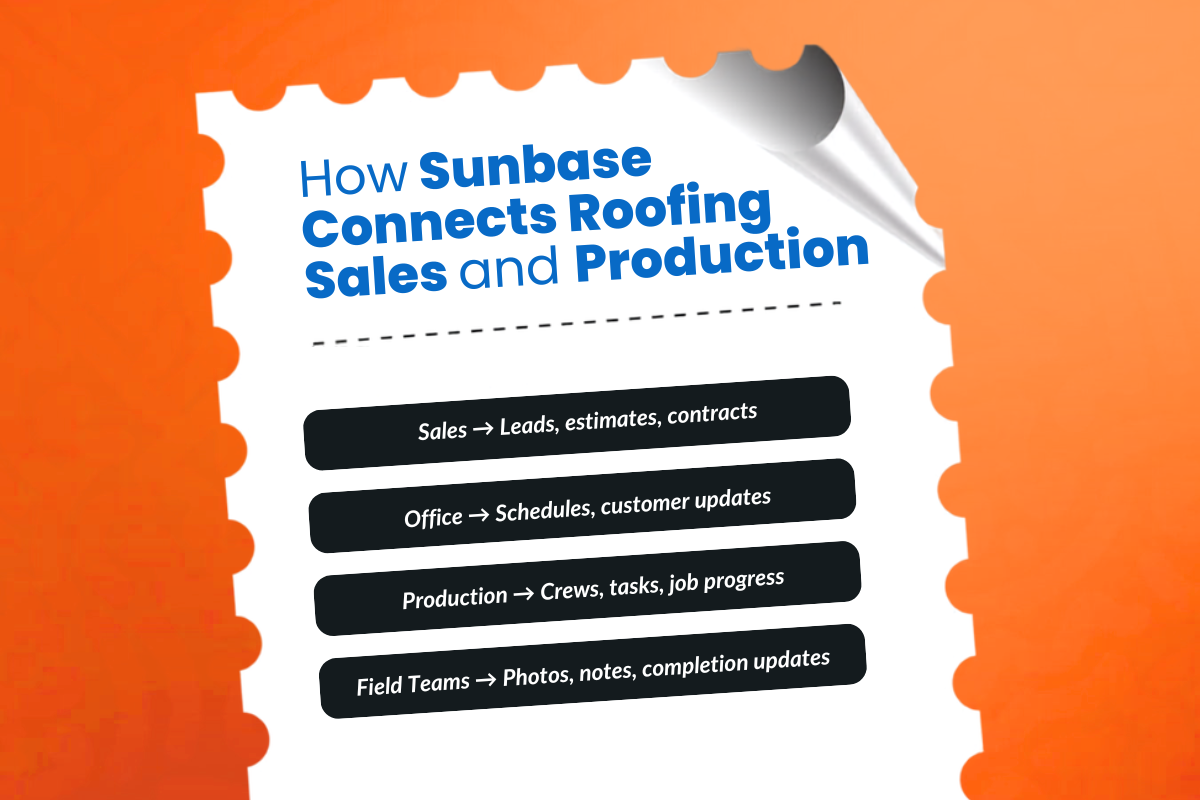
Sunbase connects sales and project workflows in one platform, so roofing teams don’t have to move information between a CRM, scheduling tool, estimating software, and a separate project management system.
As the business grows, everyone can continue working from the same customer and job record. That helps:
- Keep sales and production aligned: Estimates, contracts, notes, schedules, and job updates stay connected.
- Reduce manual data entry: Customer and project information moves forward without being copied between tools.
- Improve visibility: Office staff, sales reps, production managers, and field crews can access the information relevant to their work.
- Support more complex operations: Teams can manage multiple crews, active projects, service lines, and customer updates from one system.
- Simplify reporting: Sales and operational data can be reviewed together instead of manually combining reports from separate platforms.
Whether a contractor is adding crews or expanding into storm restoration, solar, or commercial work, Sunbase helps maintain one connected workflow from the first lead through project completion.
Roofing CRM, Project Management Software, or Both?
The right choice depends on which part of your roofing operation needs more structure.
A roofing CRM is the better starting point when your main challenges involve leads, estimates, follow-ups, sales pipelines, and customer communication. Project management software becomes more important when the difficulty shifts to scheduling jobs, coordinating crews, managing handoffs, and tracking active work.
Smaller roofing companies may be able to operate effectively with a CRM, estimating software, and a calendar. As the business adds salespeople, office staff, crews, locations, or service lines, project management capabilities become increasingly important.
Many growing contractors eventually need both. That may mean connecting separate systems or choosing one platform that manages the customer relationship and the work required to complete the job.
The goal is to match your software to the problems your business is facing now while making sure it can support the next stage of growth.
Ready to Simplify Your Roofing Operations?
Keep your sales, projects, and field operations connected with Sunbase. Streamline daily workflows, improve team collaboration, and deliver a better experience from the first lead to the final project.
See how Sunbase helps your team manage sales and projects in one place. See Sunbase in Action
Frequently Asked Questions
What’s the Difference Between Roofing CRM and Project Management Software?
A roofing CRM manages leads, follow-ups, estimates, and customer relationships. Project management software manages scheduling, crews, tasks, and active jobs.
Do Small Roofing Companies Need Project Management Software?
Not always. A CRM, estimating tool, and calendar may be enough until the business adds more crews, jobs, or operational complexity.
When Should I Upgrade From a CRM to a Project Management Platform?
Upgrade when disconnected tools, manual data entry, missed handoffs, or limited reporting begin slowing the business down.
Can One Platform Handle Both Sales and Project Management?
Yes. Some platforms combine CRM, estimating, scheduling, production, communication, and job tracking in one system.
Is Estimating Software Enough to Run a Roofing Company?
It may be enough for a very small team, but growing companies usually need stronger CRM, scheduling, and project management capabilities.
Can I Use Separate CRM and Project Management Tools Together?
Yes, provided they integrate well. If your team constantly moves information between them, a unified platform may be more practical.
One Platform.
Zero Chaos.
Run Your Entire Business in One Platform
Sunbase replaces your CRM, proposals, scheduling, job tracking, and reporting tools — all inside one clean, connected platform.
About Sunbase
The All-In-One Platform to Run Your Entire Business
Sunbase helps you organize operations, streamline daily workflows, and manage everything - from first customer contact to final project deliver- in one connected system.
Our Mission
- Organize your business.
- Optimize your workflow.
- Automate your dailytasks
Why Businesses Choose Sunbase
One Connected Workflow
Replace scattered tools and manual processes with a single platform that brings together your team, tasks, customers, jobs, and performance data.
🌎 Global Presence
Serving the United States, Canada, India, LATAM, Australia, and 10+ international markets.
👥 11,000+ Users
Trusted by contractors, installers, project managers, sales teams, and field technicians.
🏗️ Built for All Sizes
From small contracting teams to fast-growing enterprises, Sunbase adapts to your workflow.
Stop Managing Your Business Manually. Automate It.
Sunbase automates workflows, reduces mistakes, and helps your team get more done - without hiring extra staff or juggling multiple tools.
Still Managing Your Business Across Multiple Tools?
Bring your CRM, proposals, projects, and operations into one platform built for contractors.