
The top roofing CRMs for 2026 are tailored to eliminate separate apps for measurements, invoicing, and project tracking. Sunbase, JobNimbus, and AccuLynx lead the market by integrating AI estimating, automated follow-ups, and native material supplier integrations directly into your pipeline management.
If you're reading this, you've probably already decided you need roofing CRM software. The question keeping you up isn't "what is a CRM"; it's "which one won't waste my money."
That's the right question, because the roofing software market in 2026 is crowded, the pricing is deliberately murky, and the wrong pick costs you months of crew adoption and a migration you'll dread repeating.
This guide skips the lecture. You'll find a side-by-side feature and pricing table, a breakdown of which platform fits which company size, the real-world costs and mistakes to plan around, and a short framework for matching a roofing CRM to your biggest operational bottleneck so the decision comes down to fit, not marketing.
Key Takeaways
- The best roofing CRM isn't the one with the most features; it's the one that removes your single biggest workflow bottleneck.
- Match the platform to your company size: estimating-first tools fit small crews, while all-in-one systems pay off once you're juggling multiple jobs and a sales team.
- Per-user pricing quietly doubles as you hire, so calculate total cost of ownership before you sign, not after.
- An all-in-one roofing CRM that connects sales, scheduling, and invoicing eliminates the duplicate data entry that costs roofing companies hours every week.
See What One Connected Workflow Looks Like
Still learning the landscape? If you're early in your research, the fastest way to understand what a modern roofing CRM should do is to see the workflow end to end- lead, estimate, schedule, invoice in one place rather than across five tabs.
Explore an all-in-one roofing CRM software platform. Book a demo and compare it against the way your team works today. No pressure, just a clearer picture of what's possible.
Best Roofing CRM Software for Scaling Roofing Businesses
Scaling a roofing business requires a shift from chaotic spreadsheets to streamlined automation. As your leads grow and your crew expands, the tools that got you here won’t get you to the next level. You need a centralized hub to track jobs, automate communication, and protect your margins.
The best roofing CRM software doesn't just store customer data. It connects your field teams with the back office, speeds up your estimating process, and ensures no lead drops through the cracks.
Whether you are aiming to break your first million or manage multiple regional branches, choosing the right system is the single most important operational decision you will make this year.
Here is a breakdown of the top roofing CRMs designed to help your business scale efficiently, manage cash flow, and maximize profitability.
Where Roofing Profit Leaks Out Before You Ever See It?
Talk to enough roofing companies and the same story repeats. The business grows, the job count climbs, and the systems that worked at five crews start cracking at fifteen. The failures are rarely dramatic. They're small, daily, and invisible on any one job, which is exactly why they're dangerous.
A few scenes most roofing contractors will recognize:
- The 48-hour lead: A storm-damage homeowner fills out a form Friday night. By the time someone follows up Monday, they've already signed with the contractor who called back in an hour. In roofing, speed-to-lead is the deal.
- The estimate in the truck: Roof measurements and pricing live in a notebook, a phone, and one rep's memory. When that rep is out, the quote stalls and the customer cools.
- The double-booked crew: Scheduling happens over text. Two jobs land on the same Tuesday, a crew sits idle, and a project slips a week, pushing the next one, and the one after that.
- The same data, entered four times: The lead goes into a spreadsheet, the job into QuickBooks, the photos into a phone, the invoice into something else. Office staff spends their day re-keying information instead of moving jobs forward.
What it actually costs:
| Operational gap | What it looks like | Hidden cost |
|---|---|---|
| Slow lead follow-up | Forms and calls handled manually | Lost jobs to faster competitors |
| Manual estimate tracking | Quotes scattered across people | Longer sales cycles, fewer closes |
| Crew scheduling by text | No shared calendar or dispatch | Idle crews and project delays |
| Disconnected tools | CRM, accounting, photos all separate | Duplicate data entry, payroll waste |
| No reporting | Decisions made on gut feel | No idea which marketing actually pays |
Why Companies Need Roofing Software?
| Business Challenge | Without Software (Manual) | With Software | Direct Business Impact |
|---|---|---|---|
| Lead Tracking | Leads get lost on paper or emails | Leads log into a digital pipeline | Zero missed opportunities; faster response. |
| On-Site Estimating | Handwritten quotes take days | Digital estimates generated on-site | Higher close rates via instant bids |
| Field-to-Office Sync | Fractured texting isolates the office | Real-time mobile photo & note sync | Fewer errors; no duplicate entry |
| Supplier Orders | Manual sheets cause math errors | One-click ordering from digital bills | Protected margins; no material waste |
| Cash Flow & Invoicing | Late invoices; manual follow-ups | Automated milestone digital invoicing | Faster payouts; lower past-due bills |
| Storm Response | Slow manual search of hail zones | Storm-mapping overlays past clients | Rapid revenue spikes post-storm |
| Production Scheduling | Chaotic whiteboards cause overlaps | Drag-and-drop shared crew calendars | Maximum crew efficiency; zero gaps |
| Scaling & Analytics | Guesswork replaces real data | Visual cost and profit dashboards | Predictable growth; proven ROI |
What Should the Best Roofing CRM Actually Do?
Most roofing CRM vendors advertise similar feature lists. The real question isn't whether a platform has a feature; it's whether that feature solves a meaningful operational problem.
The best roofing CRM software should help contractors win more jobs, manage projects more efficiently, and create a better customer experience without adding complexity.
1. Lead Capture and Automated Follow-Up
What it does: Captures leads from websites, referrals, paid ads, call tracking systems, and door-to-door canvassing, then automatically assigns them to the right sales rep. Follow-up emails, texts, reminders, and tasks are triggered automatically.
Why it matters: Most roofing companies don't lose jobs because of poor salesmanship; they lose them because follow-ups never happen. Automation ensures every lead receives timely attention, improving response times and conversion rates.
2. Roofing Estimates and Proposals
What it does: Combines measurement tools, pricing calculators, proposal templates, and digital signatures into a streamlined estimating workflow.
Why it matters: Homeowners often contact multiple contractors before making a decision. The ability to deliver accurate, professional proposals quickly can significantly improve close rates and shorten the sales cycle.
3. Crew Scheduling and Job Management
What it does: Provides a centralized scheduling system for assigning crews, managing workloads, tracking job progress, and coordinating resources across multiple projects.
Why it matters: Scheduling errors, double bookings, and communication gaps can quickly impact profitability. A shared scheduling system keeps crews productive and projects moving forward.
4. Project Management and Job Tracking
What it does: Tracks project milestones, tasks, documents, photos, materials, and communication throughout the project lifecycle.
Why it matters: Everyone from sales reps and office staff to project managers and field crews works from the same information, reducing delays, miscommunication, and costly mistakes.
5. Invoicing and Payment Management
What it does: Generates invoices, tracks payment status, manages deposits, and enables online payment collection directly within the platform.
Why it matters: Faster invoicing and easier payment collection improve cash flow and reduce the administrative burden of chasing outstanding balances.
6. Reporting and Business Intelligence
What it does: Provides dashboards and reports for sales performance, lead sources, project profitability, close rates, team productivity, and revenue trends.
Why it matters: Better data leads to better decisions. Instead of relying on assumptions, contractors can identify bottlenecks, optimize operations, and invest resources where they generate the highest return.
7. Mobile Access for Field Teams
What it does: Gives sales reps, project managers, and crews access to customer information, schedules, project updates, photos, and documents from any location.
Why it matters: Roofing is a field-driven business. Mobile access keeps teams connected, improves communication, and ensures information is updated in real time.
8. Customer Retention and Referral Automation
What it does: Automates review requests, warranty reminders, maintenance campaigns, referral programs, and post-project follow-up communication.
Why it matters: The most profitable customer is often an existing one. Retention tools help generate repeat business, online reviews, and referrals that reduce customer acquisition costs.
9. Integrations and Workflow Connectivity
What it does: Connects with accounting software, aerial measurement providers, supplier catalogs, payment processors, and other essential business tools.
Why it matters: Disconnected systems create duplicate work and data silos. Strong integrations eliminate manual data entry and create a more efficient workflow across the entire business.
Top 5 Roofing CRM: Features, Pricing, and Comparisons
Below are the platforms roofing companies evaluate most often, with the honest version of where each one fits.
1. Sunbase
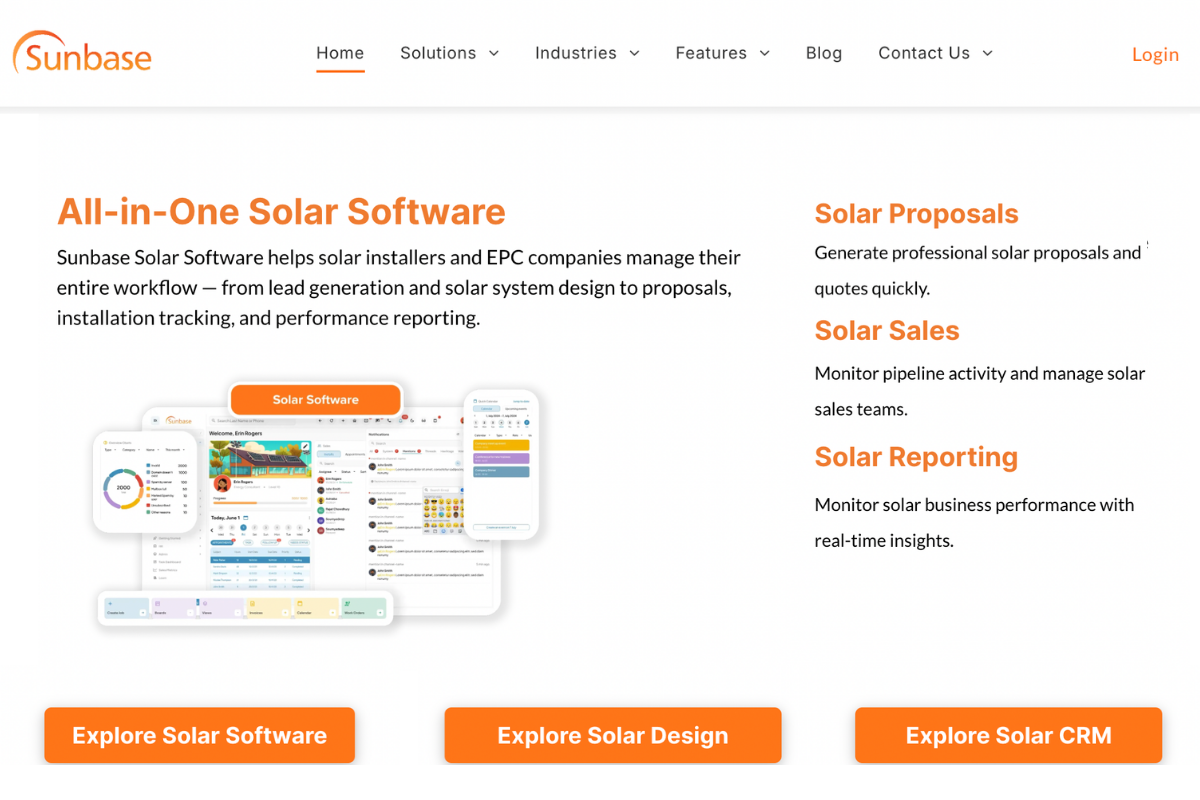
Best for: Roofing contractors looking for an all-in-one platform to manage sales, projects, and operations without relying on multiple disconnected tools.
Standout features: CRM and lead management, door-to-door canvassing, roofing estimates and proposals, project and crew scheduling, invoicing, payment tracking, reporting dashboards, and a mobile app for field teams.
Potential limitation: Companies looking for a standalone point solution may not utilize the full breadth of features available.
Pricing: Starts from $59/user/month. Custom pricing based on team size and business requirements.
Why it improves efficiency: Sunbase connects every stage of the roofing workflow from lead capture and estimating to project management and invoicing within a single platform. By eliminating duplicate data entry and disconnected processes, it helps teams respond faster, stay organized, and manage more jobs with less administrative effort.
2. AccuLynx
Best for: Mid-sized and enterprise roofing contractors, particularly those focused on insurance restoration and storm-damage projects.
Standout features: Roofing-specific CRM, EagleView integration, material ordering through suppliers like ABC Supply and SRS, production tracking, supplement management, and job workflow automation.
Potential limitation: Pricing can increase quickly as teams grow, and some contractors may find the platform more complex than necessary for smaller retail-focused operations.
Pricing: Typically starts around $250/month, with per-user pricing that can range from approximately $55–$85 per user/month depending on the plan.
Why it improves efficiency: AccuLynx is built to streamline restoration workflows by connecting measurements, material ordering, production tracking, and insurance claim management in one system. For contractors handling high volumes of storm-damage work, it helps reduce administrative delays and improve project execution.
3. JobNimbus
Best for: Residential roofing contractors and growing roofing businesses looking for an easy-to-use CRM with strong workflow automation.
Standout features: Visual Kanban-style sales pipeline, workflow automation, task and project management, customizable reporting, EagleView and ABC Supply integrations, and a mobile app for field teams.
Potential limitation: Advanced functionality is typically available on higher-tier plans, and the platform may lack some of the job costing and commercial project management capabilities required by larger contractors.
Pricing: Plans generally range from approximately $225–$550/month, with additional per-user fees depending on team size and plan selection.
Why it improves efficiency: JobNimbus simplifies the lead-to-close process through visual pipeline management and automated workflows. Its intuitive interface helps teams stay organized, reduce manual tasks, and manage projects more efficiently without a steep learning curve.
4. Roofr
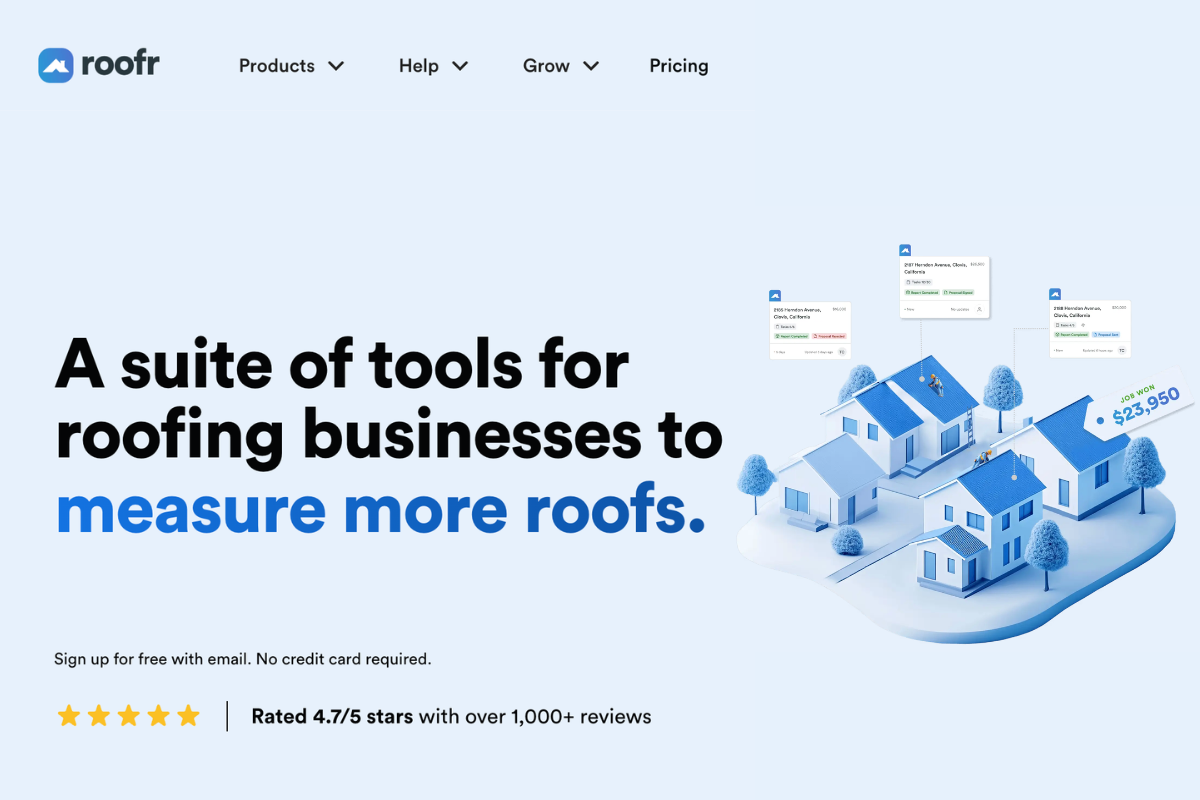
Best for: Small roofing contractors and sales-focused teams that need fast, professional estimates and proposals without the complexity of a full business management platform.
Standout features: Aerial measurement reports, proposal generation, online payments, digital contracts, and basic customer management tools.
Potential limitation: Roofr is primarily focused on estimating and proposals rather than end-to-end business operations. Contractors requiring advanced project management, job costing, scheduling, or workflow automation may need additional software.
Pricing: Free starter plan available. Measurement reports typically cost around $13–$19 each, with paid plans generally ranging from $95–$349 per month.
Why it improves efficiency: Roofr streamlines the estimating process by helping contractors generate accurate measurements and professional proposals quickly. This reduces turnaround time between inspection and estimate delivery, allowing sales teams to respond faster and improve their chances of winning the job.
5. ServiceTitan
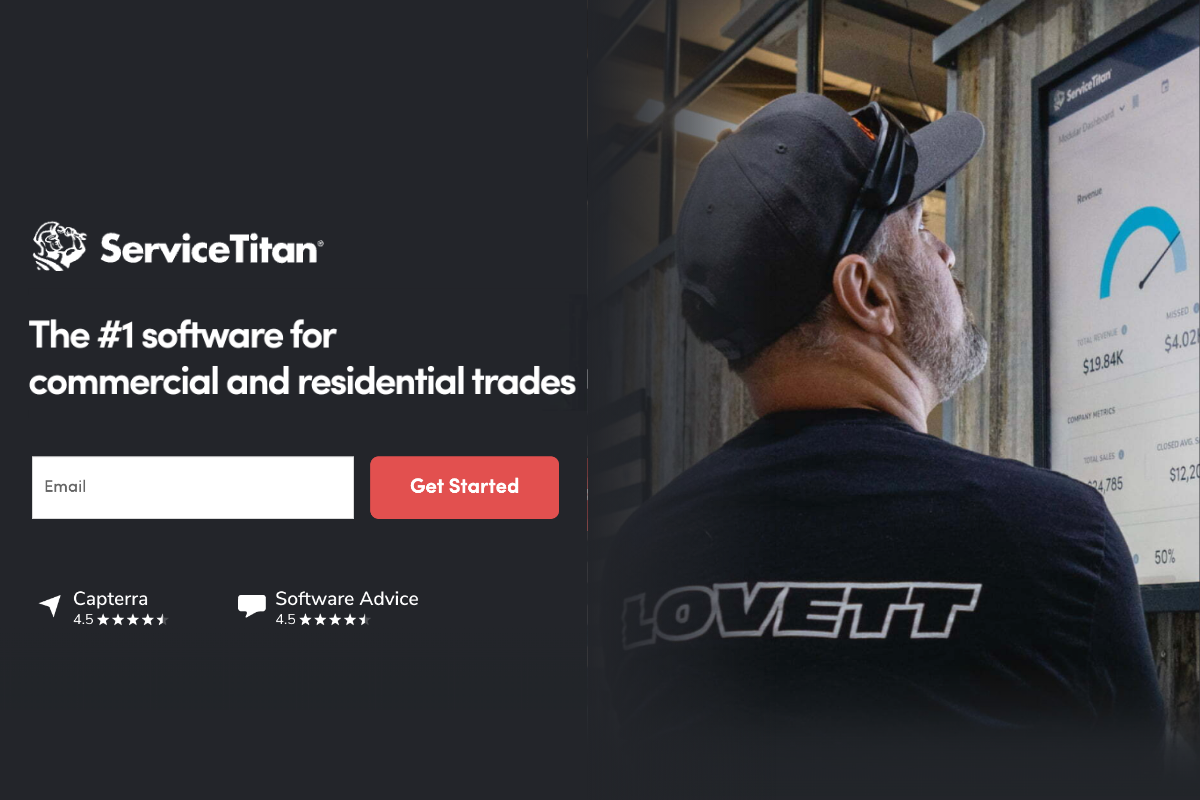
Best for: Large roofing companies, commercial contractors, and multi-trade service businesses that require advanced operational and financial management capabilities.
Standout features: Advanced dispatching and scheduling, marketing automation, customer management, real-time job tracking, reporting and analytics, finance integrations, and enterprise-level workflow automation.
Potential limitation: ServiceTitan's extensive feature set comes with a steep learning curve and premium pricing, making it less practical for small and mid-sized roofing contractors with simpler operational needs.
Pricing: Custom pricing. ServiceTitan does not publicly publish its subscription pricing on its website. To get a cost estimate, you must schedule a sales demonstration and speak with their team.
Why it improves efficiency: ServiceTitan excels at managing high job volumes across multiple teams, locations, and service lines. Its advanced scheduling, dispatching, and reporting capabilities help large organizations improve resource utilization, streamline operations, and maintain visibility across the entire business.
How Do the Top Roofing CRMs Compare at a Glance?
| Platform | Best Fit | All-In-One | Mobile App | Storm/Map Tracking | Aerial Measurements | Price |
|---|---|---|---|---|---|---|
| Sunbase | One connected platform | ✅ Yes | ✅ Yes (iOS/Android) | ✅ Yes (Built-in D2D) | ✅ Yes (Integrations) | Starts from $59/user/month |
| Acculynx | Insurance-focused roofing contractors | Mostly | ✅ Yes (iOS/Android) | ✅ Yes (Storm tracking) | ✅ Yes (EagleView / SkyMeasure) | Essential Plan: $250 per month Pro & Elite Plans: Custom Quote Only |
| JobNimbus | Residential retail & exterior trades | Mostly | ✅ Yes (iOS/Android) | ✅Yes (Lead mapping) | ✅ Yes (EagleView / Hover) | Base fee ($225–$550/mo) + per-user fee |
| Roofr | Estimates & proposals | ❌ No | ❌ No (Web app only) | No (Needs integration) | ✅ Yes (Instant built-in) | $0–$349/month |
| ServiceTitan | Large / Enterprise enterprise | ✅ Yes | ✅ Yes (iOS/Android) | ✅ Yes (Advanced dispatch) | ✅ Yes (EagleView / GAF) | Custom pricing |
Where Does a Roofing CRM Earn Its Keep? Real-World Use Cases
Features look good on a spec sheet. What actually matters is whether they hold up on a Tuesday afternoon when three crews are in the field, a storm just rolled through, and the phone won't stop ringing.
Here's where a roofing CRM proves its worth in the situations roofing contractors deal with every week:
1. Storm and Insurance Restoration
The situation: A major storm hits, and dozens of leads come in within days. Sales reps are juggling inspections, adjuster meetings, claim documents, supplements, and homeowner updates all at once. Details start slipping through the cracks- buried in email threads, scattered spreadsheets, and half-remembered text messages.
What the CRM does: Leads get captured and assigned automatically. Claim documents live in one place on the customer record, and every interaction- call, email, site visit is logged where the whole team can see it. Supplement requests and claim status are tracked without anyone chasing down updates manually.
The payoff: Faster response times, fewer dropped details, and full visibility across the restoration pipeline so a surge in lead volume doesn't mean a drop in service quality.
2. Door-to-Door and Canvassing Sales
The situation: Reps are out knocking doors all day, generating real interest, but that information is scattered across notebooks, personal phones, and scraps of paper. Follow-ups happen inconsistently, if at all, and management has almost no visibility into what's happening in the field.
What the CRM does: Reps log leads, conversations, and appointments directly from a mobile app, pushing prospects straight into the pipeline in real time. Territory tracking and activity reporting give managers a clear view of what's working and what isn't.
The payoff: Faster follow-up, better accountability across the sales team, and stronger conversion rates from every door knocked.
3. Office-to-Field Handoff
The situation: A contract gets signed and then stalls. Information sits in someone's inbox while sales, project management, and production try to figure out who owns the next step. The customer, meanwhile, is left wondering what happens next.
What the CRM does: Once a proposal is approved, customer details, project specs, documents, and job requirements flow automatically into the production workflow. No re-entry, no waiting on someone to forward an email.
The payoff: Faster kickoff, tighter coordination between teams, and a handoff the customer barely notices because nothing falls through.
How Do You Choose the Right Roofing CRM for Your Business Size?
The same platform can be perfect for one roofing business and wrong for another. The cleanest way to narrow the field is by where your company sits today and where it's headed.
1. Small roofing businesses (1–5 users)
What to prioritize: Lead management, estimating, proposal creation, mobile access, and affordability.
At this stage, simplicity matters more than advanced functionality.
You need a platform that helps you organize leads, create professional estimates, and stay on top of customer communication without adding unnecessary complexity. Look for software that's easy to implement, easy to use, and capable of growing with your business.
2. Growing roofing contractors (5–15 users)
What to prioritize: Sales automation, pipeline management, crew scheduling, project tracking, and workflow visibility.
As lead volume and project activity increase, manual processes begin to break down. This is where a true roofing CRM delivers the most value by connecting sales, operations, and customer communication in one platform.
The goal is to reduce administrative work, improve team coordination, and create consistent processes across the business.
3. Multi-crew & enterprise roofing companies (15+ users)
What to prioritize: Reporting, job costing, financial tracking, workflow automation, and multi-location management.
Larger roofing organizations require deeper operational visibility and stronger process controls. Look for platforms that provide advanced reporting, profitability tracking, custom workflows, and integrations with accounting and business systems.
At this stage, scalability, automation, and data-driven decision-making become just as important as day-to-day operations.
What Does a Roofing CRM Cost?
Roofing software pricing is deliberately hard to compare. Vendors hide numbers behind "request a quote," charge per user, and treat features most teams consider standard- job costing, portals, measurements as paid add-ons.
- Entry-level: free tiers and estimating-first tools start at $0–$150/month, fine for solo operators and small crews.
- Mid-market: most growing roofing companies land in the $225–$700/month range once per-user fees are counted.
- Enterprise ($700+ total/month): Advanced, multi-trade platforms with volume-based pricing or heavy customization requirements.
The Hidden Trap: Total Cost of Ownership (TCO)
The real cost of a software platform isn't the sticker price; it is the Total Cost of Ownership. Because most vendors use per-user pricing, jumping from 10 to 20 crew members can instantly double your monthly bill.
Before signing a contract, protect your margins by doing the following:
- Forecast Headcount: Multiply the per-user rate by your projected headcount 12 months from now.
- Audit the Add-ons: Factor in separate fees for reporting, text messaging bundles, and third-party integrations.
- Look for Bundles: Prioritize platforms that bundle features and avoid aggressive per-seat creep, as they often win on TCO even if their starting price looks higher.
What Mistakes Do Roofing Contractors Make When Buying a CRM?
- Buying features instead of fit: The longest feature list rarely wins. The platform that removes your biggest bottleneck does.
- Ignoring adoption: A roofing CRM only delivers the 29% revenue lift the research promises if crews and reps actually use it. A steep learning curve quietly kills ROI; ease of use is a real buying criterion.
- Underestimating per-user pricing: The plan that's cheapest at five users can be the most expensive at twenty. Model it before you grow.
- Skipping the demo with your own workflow: Test the platform against a real lead, a real estimate, and a real schedule, not the vendor's polished sample data.
- Stitching together point tools: Three "affordable" apps that don't talk to each other recreate the exact data silos a roofing CRM is supposed to eliminate.
How Will Sunbase Roofing CRM Benefit You?
If the recurring theme above is "stop the leaks between disconnected tools," that's the exact problem Sunbase Roofing CRM was built to solve. It pulls lead management, estimating, scheduling, project tracking, invoicing, and reporting into one connected platform so the same record moves from first contact to final payment without anyone re-keying it. Here's what that translates to in practice:
1. Improved efficiency
Automation handles the repetitive work, follow-ups, task scheduling, status updates, and real-time notifications so your team spends its hours on jobs and customers instead of data entry. That's where the workday-a-week in reclaimed time comes from.
2. More closed deals
Faster lead capture and disciplined, automated follow-up lift conversion, while a clear view of the sales pipeline makes forecasting realistic instead of hopeful.
3. Higher customer satisfaction
A centralized customer record means consistent, timely communication and full job history at your fingertips, so every interaction feels personalized. Faster response times and proactive updates are what turn one-time roofing jobs into referrals and repeat business.
4. Built for the field, connected to the office
A genuine mobile app lets crews and reps update jobs, capture photos, and pull customer information from the truck, while clean integrations with accounting software, aerial measurement, and roofing estimation tools keep the back office in lockstep. One platform, one source of truth, no silos.
The Bottom Line on Choosing a Roofing CRM
The right roofing CRM doesn't announce itself; it just quietly removes the friction between a lead coming in and a job getting paid.
So resist the urge to chase the longest feature list or the lowest sticker price. Start from the bottleneck. If quotes are your slow point, lead with estimating power. If crews and projects are the chaos, weight scheduling and job management.
If you're drowning in duplicate entry across disconnected apps, an all-in-one platform is the answer almost regardless of brand.
Here's how to put this into action:
- Spend 15 minutes mapping your worst bottleneck. Pull your last 20 leads and trace what happened to each one. Where did time get lost? That's your starting filter for any CRM.
- Shortlist 2-3 platforms that match that bottleneck, not the ones with the most logos on their homepage.
- Run a demo on your own data: your actual leads, your actual job types, not the vendor's polished sample account.
- Model the cost at next year's size, not today's. A CRM that's cheap now but charges per user can quietly become your most expensive tool as you grow.
- Pick the platform your team will actually open every day. Adoption beats features every time.
A simple decision framework: the best roofing CRM is the one your team will use every day, that scales without doubling your bill, and that closes the single gap costing you the most money right now. Get that one decision right, and the technology stops being something you manage and starts being the reason you grow.
Ready to Pressure-Test Your Shortlist?
Bring your real numbers. Walk through your lead volume, crew counts, and the bottleneck that's costing you the most, and see exactly where a connected platform changes the math.
Book a Sunbase demo and run your own workflow through it, from a roofing estimate to a scheduled job, before you commit to anything.
FAQs
What does CRM mean in roofing?
CRM stands for customer relationship management. In roofing, it's software that captures leads, tracks every customer interaction, builds estimates, schedules crews, and manages jobs from first contact to final payment all in one place.,
What's the best roofing CRM software?
There's no single winner. AccuLynx leads for insurance and storm restoration, JobNimbus for residential retail, Roofr for fast estimating, ServiceTitan for large multi-trade firms, and all-in-one platforms like Sunbase for contractors who want sales, scheduling, and invoicing connected in one system.
Is a roofing CRM worth it for a small roofing business?
Yes, if it matches your scale. Small crews benefit most from a low-cost, easy tool that speeds up quotes and lead follow-up. The ROI comes from closing leads faster and cutting admin time — not from features you won't use.
How long does it take to implement a roofing CRM?
Lightweight tools can be running in days; full all-in-one platforms typically take a few weeks for data migration, integration setup, and crew training. Adoption, not installation, is the real timeline, so prioritize a platform your team finds easy to use.
One Platform.
Zero Chaos.
Run Your Entire Business in One Platform
Sunbase replaces your CRM, proposals, scheduling, job tracking, and reporting tools — all inside one clean, connected platform.
About Sunbase
The All-In-One Platform to Run Your Entire Business
Sunbase helps you organize operations, streamline daily workflows, and manage everything - from first customer contact to final project deliver- in one connected system.
Our Mission
- Organize your business.
- Optimize your workflow.
- Automate your dailytasks
Why Businesses Choose Sunbase
One Connected Workflow
Replace scattered tools and manual processes with a single platform that brings together your team, tasks, customers, jobs, and performance data.
🌎 Global Presence
Serving the United States, Canada, India, LATAM, Australia, and 10+ international markets.
👥 11,000+ Users
Trusted by contractors, installers, project managers, sales teams, and field technicians.
🏗️ Built for All Sizes
From small contracting teams to fast-growing enterprises, Sunbase adapts to your workflow.
Stop Managing Your Business Manually. Automate It.
Sunbase automates workflows, reduces mistakes, and helps your team get more done - without hiring extra staff or juggling multiple tools.
Still Managing Your Business Across Multiple Tools?
Bring your CRM, proposals, projects, and operations into one platform built for contractors.

