
The biggest challenge for many solar companies isn't finding leads. It's turning those leads into projects quickly and accurately.
As businesses grow, design teams often become the limiting factor. More leads mean more site assessments, more layouts, more calculations, and more proposal requests. Without the right systems in place, proposal backlogs grow, design errors become more common, and opportunities slip through the cracks.
Modern solar design software helps eliminate these bottlenecks by automating many of the most time-consuming parts of the design process.
Key Takeaways
- Solar design software automates the full PV design workflow from satellite-based roof measurement through system sizing, shading analysis, production estimation, and proposal generation in one connected platform.
- There is no single "solar design software"; the category includes residential tools, commercial platforms, utility-scale engineering tools, and end-to-end business management systems. Choosing the wrong type is a common and expensive mistake.
- The biggest operational impact isn't design speed; it's proposal accuracy. Shading miscalculations and system sizing errors made at the design stage are the primary cause of post-installation performance disputes.
- The best solar design software connects design output directly to proposal generation and CRM, eliminating the manual data transfer between tools that causes errors and adds hours to every project.
Before You Buy: Take a Guided Tour of a Connected Solar Pipeline
Before evaluating specific platforms, it helps to see how a modern design-to-proposal workflow actually runs from pulling up a property address to delivering a finished, branded proposal. Explore the advanced solar design software designed for the modern solar workflow.
Solar Design Software: Complete Guide to Features, Benefits & Top Tools in 2026
For modern solar contractors, the days of relying on manual roof measurements, clunky CAD software, and detached spreadsheets to win deals are officially over.
Modern solar design software has evolved from basic CAD tools into AI-driven, engineering-grade platforms that unify remote site modeling, shading simulation, and automated sales proposals into a single digital workflow.
But not all solar design software is built for the same purpose. Some platforms are optimized for residential sales and proposal generation, while others focus on engineering-grade simulations for commercial and utility-scale projects. Choosing the right solution depends on your project types, business goals, and operational workflow.
In this guide, we'll explore how solar design software works, the key features to look for, the benefits it delivers, and the top solar design tools available in 2026 to help you find the best fit for your business.
What Is Solar Design Software?
Solar design software is a digital platform built specifically for designing, modeling, and simulating photovoltaic (PV) systems. It handles the technical and commercial work involved in solar project system sizing, equipment selection, shading analysis, energy production estimation, financial calculations, and proposal generation, all within a connected workflow.
It is different from general-purpose CAD tools and spreadsheet-based processes in one important way: it is built around the actual stages of a solar project, not around generic design or data management tasks. There are two functional components that most solar design platforms include:
Solar design tools handle the technical side of roof measurement, panel layout, shading simulation, system sizing, and production modeling. These tools use satellite imagery, LiDAR elevation data, and irradiance databases to build accurate site models without requiring a physical visit.
Solar proposal tools handle the commercial side, generating customer-facing documents with system specifications, production estimates, financial projections, financing options, and equipment details. In the best platforms, these two components are connected, so proposal output flows directly from design data without manual re-entry.
Who Is a Solar PV Designer?
A solar PV designer is a professional responsible for creating technical designs for photovoltaic systems, translating a customer's energy needs and site conditions into a complete system specification that can be permitted, installed, and commissioned.
The role sits at the intersection of engineering and commercial work:
On the technical side, a PV designer evaluates roof structure, calculates system capacity, runs shading analysis, selects equipment, and produces the documentation required for permits and utility interconnection.
On the commercial side, they translate that technical work into customer-facing proposals with production estimates and financial projections.
In residential solar companies, the designer role is sometimes filled by a dedicated design team member and sometimes by a sales rep using software tools that handle the technical calculations automatically.
In commercial and utility-scale operations, PV designers are typically licensed engineers with backgrounds in electrical engineering or renewable energy systems.
Who Uses Solar Design Software?
Solar design software is used across the full spectrum of solar businesses, not just large engineering firms.
Residential solar installers use it to speed up site assessments, generate proposals on the day of the customer visit, and reduce the manual work between a qualified lead and a signed contract.
EPC (Engineering, Procurement, and Construction) firms use it for commercial and industrial projects where design complexity is higher, multiple stakeholders are involved, and documentation requirements are more demanding.
Solar developers use it in the early stages of project planning to evaluate site feasibility, model production scenarios, and build financial models for project financing.
Engineering and design teams use it to produce permit-quality plan sets, electrical diagrams, and structural calculations that satisfy Authority Having Jurisdiction (AHJ) requirements across different US states and counties.
Sales-focused solar companies use it primarily for proposal speed, generating accurate, branded proposals quickly enough to maintain customer engagement and outpace competitors who are slower to respond.
How Solar Design Software Works: Stage by Stage
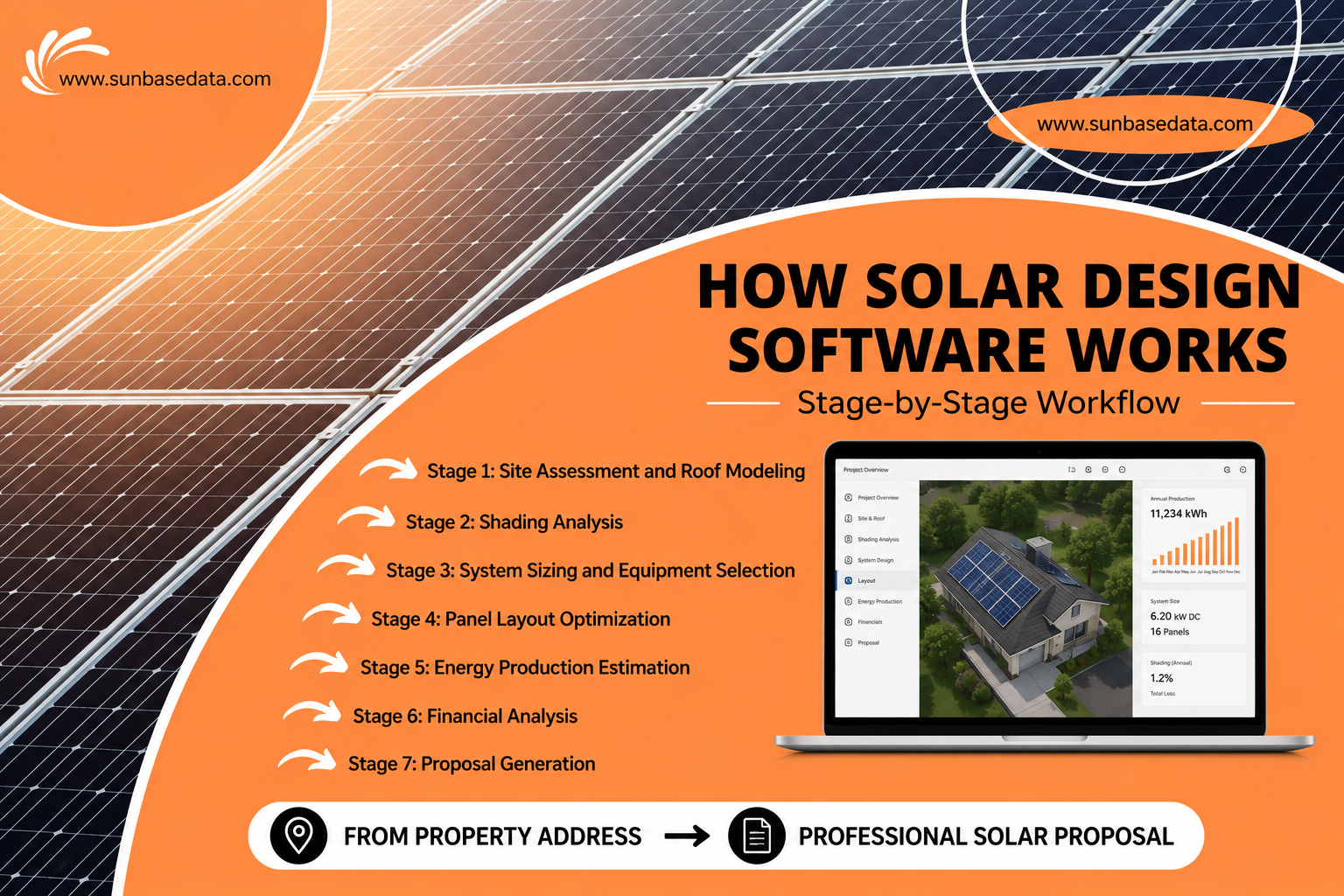
Understanding how solar design software works is easier when you see it as a sequence of connected stages rather than a list of features. Here is what the workflow looks like on a modern platform.
Stage 1: Site Assessment and Roof Modeling
The software pulls satellite imagery and LiDAR elevation data for the property address. It generates a 3D model of the roof, measures the usable surface area, calculates pitch and azimuth for each roof section, and identifies obstructions like chimneys, vents, and skylights.
According to the National Renewable Energy Laboratory (NREL), remote site design using software can reduce the cost of a residential solar installation by as much as $0.17 per watt, approximately $850 on a standard 5 kW system. (Source: DOE Solar Energy Technologies Office, Soft Costs Research)
Stage 2: Shading Analysis
The software runs a time-series shading simulation, calculating the shadow cast on each panel position from obstructions, neighboring structures, and terrain across every hour of every day of the year.
This is not a static snapshot. It accounts for seasonal variation in sun angle, meaning the tree that casts a shadow in December is evaluated differently from the same tree in June. Manual shading estimation cannot replicate this level of precision.
Stage 3: System Sizing and Equipment Selection
Based on the roof model, shading analysis, and the customer's energy consumption data, the software calculates the optimal system size, panel count, inverter configuration, and battery storage if applicable.
Equipment is selected from a library of current manufacturer specifications. String sizing, voltage checks, and code compliance validations run automatically, flagging issues before they reach the permitting stage.
Stage 4: Panel Layout Optimization
The software generates a panel layout that maximizes energy production within the constraints of the roof geometry, setback requirements, and shading conditions. Optimization algorithms evaluate multiple configurations simultaneously and surface the highest-performing layout.
Stage 5: Energy Production Estimation
Using the completed layout, shading analysis, equipment specs, and historical irradiance data for the installation location, the software calculates the projected annual energy production, broken down by month. The output is a production estimate grounded in measured data rather than rule-of-thumb assumptions.
Stage 6: Financial Analysis
The software applies the customer's utility rate, applicable state incentives, financing options, and system cost to generate a financial model that shows the payback period, ROI, net present value, and utility savings over the system's lifetime.
It factors in current federal incentives under the Inflation Reduction Act, including the 30% commercial Investment Tax Credit (Section 48E), which applies to commercial projects and can be utilized by U.S. residential homeowners choosing third-party ownership structures like solar leases and Power Purchase Agreements (PPAs).
Stage 7: Proposal Generation
All of the above, system specifications, production estimates, financial projections, equipment details, 3D roof renderings, and financing options populate automatically into a branded proposal template.
In connected platforms, this proposal is generated from the design data without manual re-entry and delivered to the customer as a professional, customer-facing document.
Solar Design Software vs. Manual Design
| Feature | Specialized Solar Design Software | Manual Design (CAD / Excel) |
|---|---|---|
| Workflow | Automated site assessment, stringing, and component layout. | Entirely manual plotting and drafting |
| Speed | Minutes: Delivers comprehensive layouts and proposals rapidly | Hours/Days: Depends on the complexity of the project. |
| Shading & Weather | Built-in: 3D/LIDAR analysis, irradiance mapping, and yield simulations. | Manual: Needs external shading tools and historical data. |
| Accuracy & Code | High: Automated electrical limits, string sizing, and building code checks. | Low: Higher risk of human error; requires manual rule verification. |
| Component Database | Integrated: Constantly updated specs for PV modules, inverters, and batteries. | Manual Lookup: Requires designers to search and input specs manually. |
| Client Proposals | Instant: Generates branded, permit-ready PDFs and financial ROI models. | Fragmented: Requires combining CAD drawings with separate spreadsheets. |
| Cost Structure | SaaS: Recurring monthly or annual subscription fees. | Upfront: Often utilizes software you already own (e.g., AutoCAD) |
Common Challenges Without Solar Design Software
Every solar company hits a point where manual processes stop scaling. These are the most common failures that show up first.
1. Proposal delays that cost deals
In solar sales, speed matters more than most companies realize. When a homeowner or business requests a quote, they're often speaking with multiple installers at the same time.
If your team is still collecting measurements, running calculations in spreadsheets, and waiting for designers to build a proposal manually, valuable days can be lost.
2. Inconsistent design quality across team members
When each designer follows their own process, output quality varies. One designer catches a shading issue that another misses. One proposal uses a different formatting from another. Software standardizes the workflow, so every output meets the same quality threshold regardless of who runs the design.
3. Post-installation performance gaps
Shading miscalculations and system sizing errors made during manual design frequently surface only after installation, when a customer notices their bill hasn't dropped as projected. These conversations are expensive and damaging. Software-driven shading analysis prevents the most common causes.
4. Data transfer errors between disconnected tools
Moving information manually between satellite imagery tools, CAD software, spreadsheets, and proposal templates introduces errors at every step. A system size that changed during design doesn't automatically update in the proposal. Equipment selection from one tool doesn't automatically populate the financial model in another.
What Are The Key Features of Solar Design Software?
1. Automated Roof Measurement and 3D Site Modeling
The platform should be able to generate a 3D model of the installation site from satellite imagery and LiDAR data without requiring a site visit. Look for platforms that support multiple roof sections, ground-mount configurations, and accurate pitch and azimuth detection.
2. Time-Series Shading Analysis
Basic shading overlays show where obstructions exist. Time-series shading analysis shows when and how much each panel position is shaded across every hour of the year. The latter is what produces accurate production estimates. Ask specifically which shading model the platform uses and what irradiance data source it draws from.
3. Automated System Sizing and Equipment Libraries
The platform should calculate system size based on actual consumption data and roof capacity, not just a target kW number. Equipment libraries should be current and include panels, inverters, racking systems, and battery storage options with manufacturer-accurate specifications.
4. Energy Production Simulation
Production estimates should be generated from historical irradiance data (such as PVGIS, SolarAnywhere, or TMY datasets), equipment efficiency ratings, and the completed shading analysis, not from industry averages or simplified assumptions.
5. Proposal Generation Connected to Design Output
The proposal should populate from the design data automatically. If the system size changes, the proposal updates. If equipment selection changes, the financial projections will be updated. Manual re-entry between design and proposal is where most errors and time losses occur.
6. Financial Modeling and Incentive Calculations
The platform should apply current federal incentives (including the 30% Investment Tax Credit for commercial and third-party-owned systems under the IRA), state-level programs, utility rates, and available financing options to generate accurate customer-facing financial projections.
7. CRM and Business Tools Integration
Design data should flow into your CRM without manual re-entry. Leads become projects. Projects carry their design specs through to installation scheduling and customer communication. This connection is what makes the full workflow efficient.
8. Permit Package Output
For US installers, the platform should generate NEC-compliant plan sets, single-line electrical diagrams, and documentation formatted to meet AHJ requirements. Permit rejections due to documentation errors are a significant source of soft cost inflation.
Top 5 Solar PV Design Software Platforms in 2026
There are dozens of solar design tools on the market. These five represent the most widely used platforms across residential, commercial, and utility-scale segments in the US, each built for a different type of solar business.
1. Sunbase
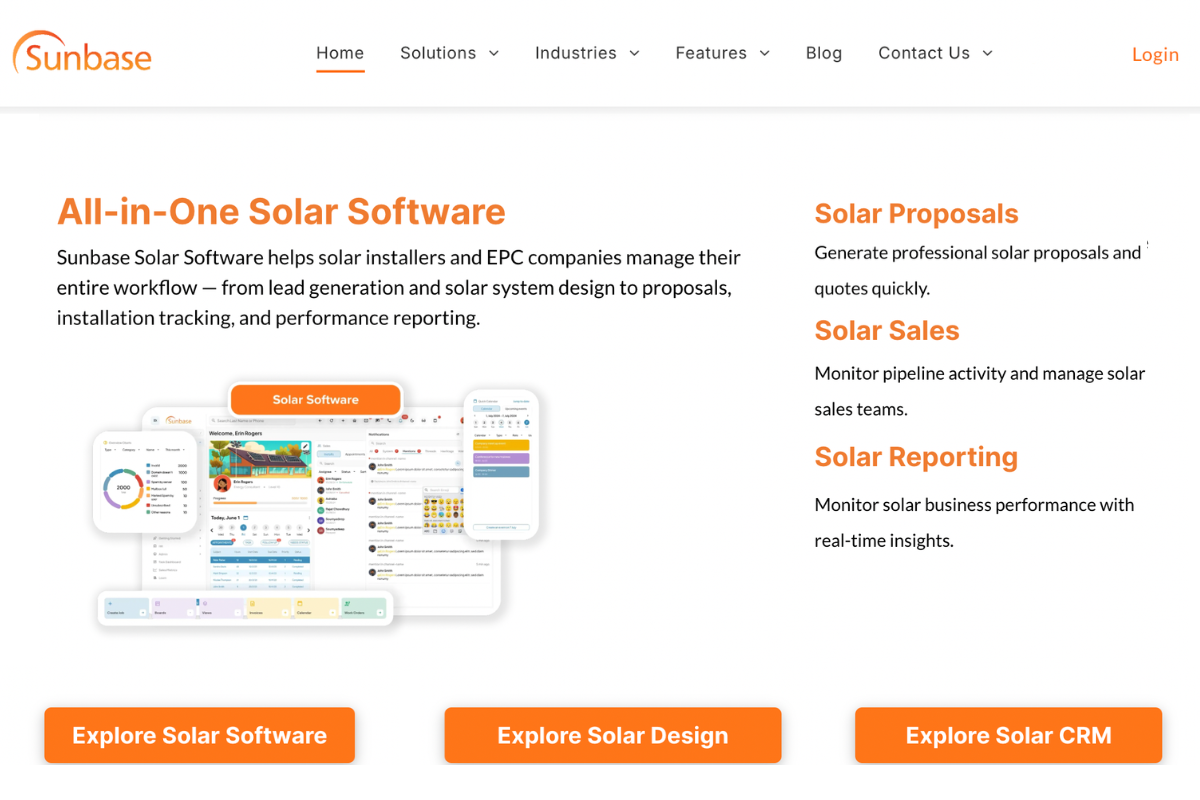
Best for: Residential and commercial solar companies looking for an end-to-end platform
Sunbase combines solar design, proposal generation, CRM, financing, and project management into a single platform. Instead of moving data between separate design, sales, and operations tools, teams can manage the entire solar project lifecycle from one system.
Features:
- Combines solar design, proposal generation, CRM, and project management in a single platform.
- Enables remote rooftop design using high-resolution satellite imagery.
- Uses LiDAR-based shading analysis for accurate production forecasting and system planning.
- Automatically generates branded solar proposals directly from design data.
- Integrates with business management tools to eliminate manual data transfer.
- Supports the entire project lifecycle, from lead capture to final installation.
Standout capability: Full design-to-proposal workflow with CRM integration in one platform, no manual data transfer between tools.
2. Aurora Solar
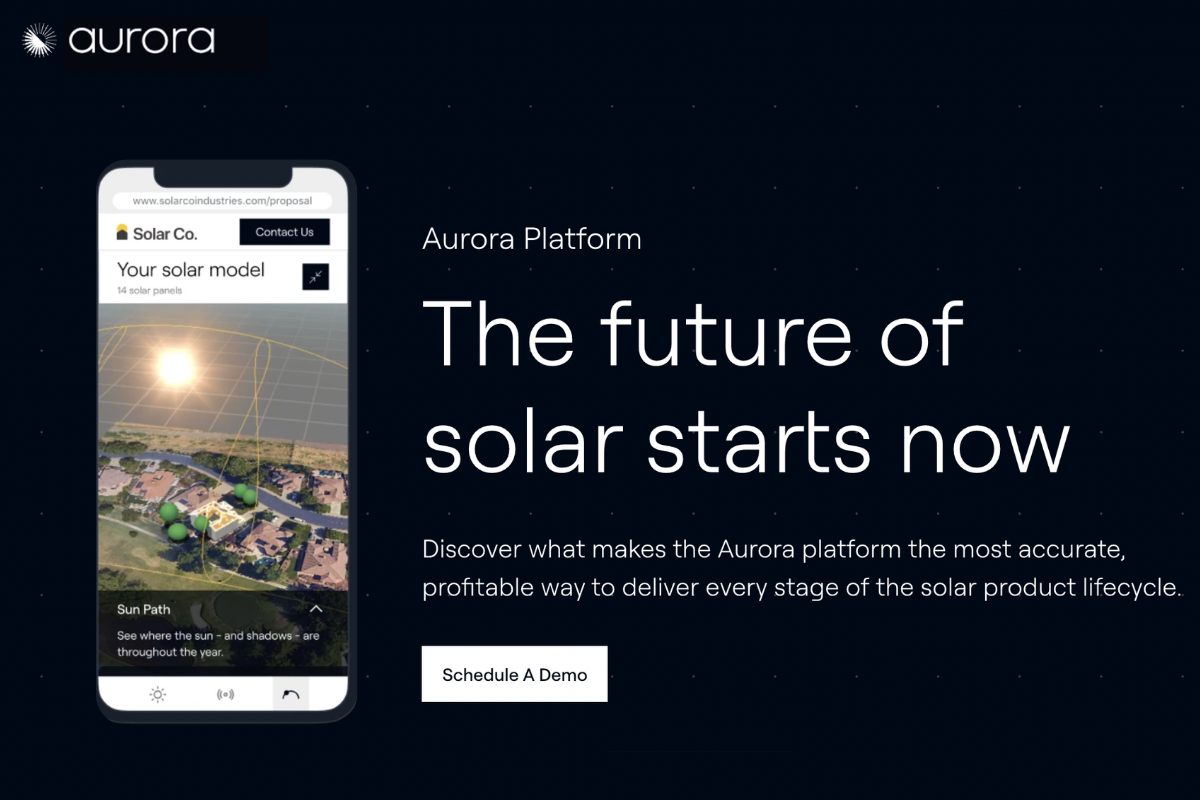
Best for: Residential solar companies prioritizing design accuracy and sales enablement
Aurora Solar is one of the most widely used solar design platforms for residential installers. It combines AI-assisted design tools with proposal generation and sales-focused workflows to help teams create accurate designs quickly.
Features:
- Uses AI-powered rooftop modeling to create accurate site designs quickly.
- Generates automated solar panel layouts based on roof geometry and available space.
- Performs detailed 3D shading analysis to improve production estimates.
- Calculates system performance, energy savings, and financial returns automatically.
- Creates professional proposals with system visuals and savings projections.
- Supports battery storage modeling alongside solar system design.
- Integrates with CRM and sales tools to streamline proposal delivery.
Standout capability: AI-powered site modeling and a sales-focused workflow that moves from design to proposal with minimal friction.
3. Helioscope (by Folsom Labs)
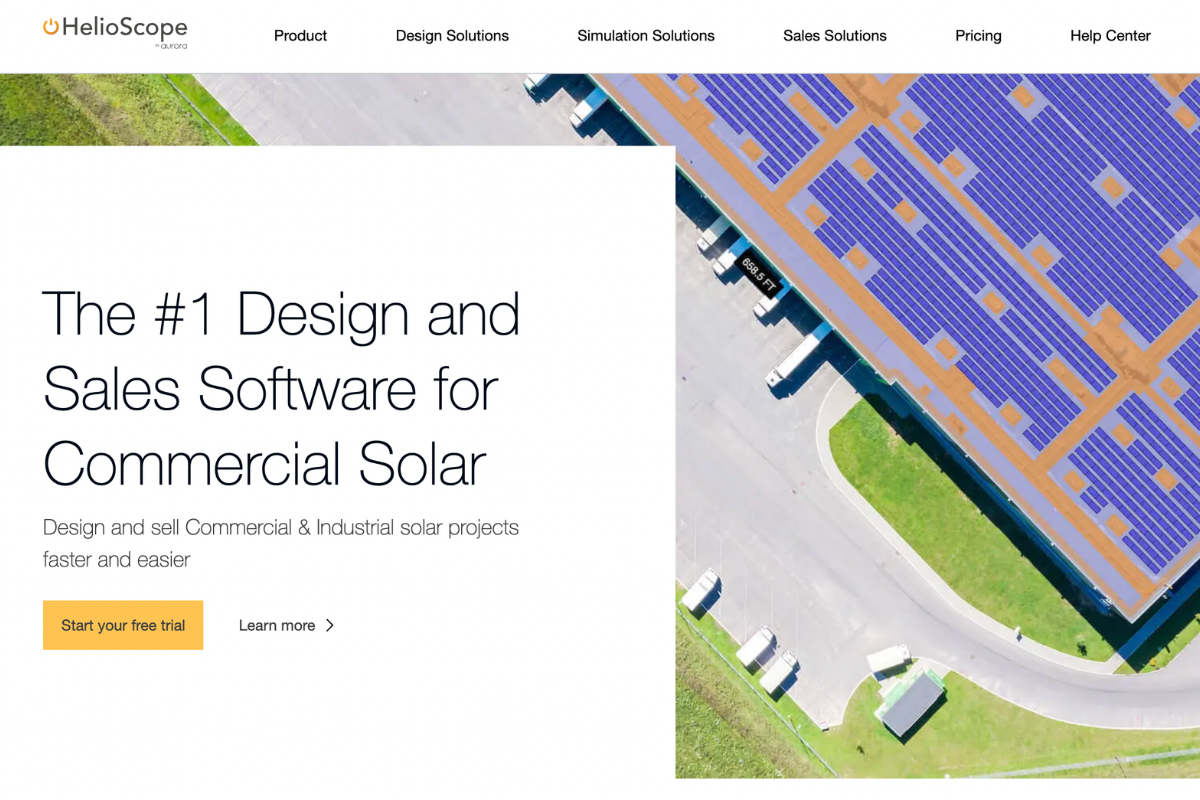
Best for: Commercial and industrial EPC firms needing engineering-grade accuracy.
HelioScope focuses on engineering precision rather than sales workflows. It allows designers to model complex commercial systems, analyze losses, and create highly detailed electrical designs.
Features:
- Creates detailed solar layouts for commercial and industrial projects.
- Performs advanced shading analysis and loss calculations.
- Models string-level electrical configurations for engineering accuracy.
- Generates detailed energy production simulations and performance reports.
- Calculates system losses across modules, wiring, inverters, and shading conditions.
- Produces engineering documentation and technical design outputs.
- Supports large-scale rooftop and ground-mounted solar projects.
Standout capability: Engineering-grade performance simulation and detailed loss analysis for complex commercial projects.
4. PVsyst
Best for: Engineers and developers needing bankable energy yield analysis.
PVsyst is considered the industry benchmark for solar energy simulation. It is commonly used for utility-scale projects, lender reviews, and independent engineering assessments where accurate energy forecasts are critical.
Features:
- Simulates long-term solar energy production using historical weather data.
- Performs advanced shading, terrain, and horizon analysis.
- Models utility-scale, commercial, and off-grid solar systems.
- Calculates detailed system losses and performance ratios.
- Supports battery storage and hybrid energy system simulations.
- Generates bankable energy yield reports for investors and lenders.
- Provides detailed performance forecasting for project feasibility studies.
Standout capability: The most widely accepted production simulation tool for project finance and independent engineering review.
5. OpenSolar
Best for: Smaller solar companies and new installers looking for a free entry point
OpenSolar offers a free solar design and proposal solution that allows installers to create layouts, generate proposals, and manage projects without subscription costs. It's particularly attractive for smaller teams and startups.
Features:
- Provides solar design and proposal generation at no software subscription cost.
- Creates automated rooftop layouts using satellite imagery.
- Generates energy production estimates and savings calculations.
- Builds customizable solar proposals with pricing and financing details.
- Includes customer-facing portals for proposal review and approvals.
- Supports project tracking and installer collaboration.
- Integrates financing options directly into the sales process.
Standout capability: Full design and proposal workflow at no cost, the most accessible entry point in the category.
Quick Comparison
| Platform | Best For | Shading Analysis | Proposal Generation | CRM Integration |
|---|---|---|---|---|
| Sunbase | Residential + Commercial (end-to-end) | LiDAR-based, time-series | ✅ Native | ✅ Native |
| Aurora Solar | Residential (sales-focused) | AI-assisted, time-series | ✅ Native | ✅ Native |
| Helioscope | Commercial EPC (engineering-grade) | Detailed, string-level | ✅ Basic | ❌ Limited |
| PVsyst | Utility-scale (bankable simulation) | Industry-standard | ❌ Not included | ❌ Not included |
| OpenSolar | Small installers (free platform) | Standard | ✅ Native | ✅ Limited |
What to Look for When Choosing Solar Design Software
Most solar design platforms advertise the same outcomes: faster proposals, better accuracy, easier workflows. Here is the framework for looking past the marketing language.
1. Start with your project type
Residential, commercial, and utility-scale projects have fundamentally different design requirements. A platform built for residential rooftop installations may not handle the electrical engineering complexity of a 200 kW commercial project. Shortlist only platforms designed for the project types you primarily work on.
2. Evaluate shading analysis depth
Ask specifically: Does the platform run a time-series shading simulation, or a static shading overlay? What irradiance data source does it use? The answer determines whether your production estimates will hold up post-installation or generate performance disputes.
3. Assess the design-to-proposal connection
The most common source of wasted time in solar companies is manual data transfer between solar design and proposal tools. A platform where proposal output flows automatically from design data eliminates this. One that requires re-entry recreates it.
4. Check integration with your CRM and project management tools
Whether it's advanced solar CRM or basic CRM, native integrations are faster and more reliable than middleware connections. Ask which tools integrate natively, and whether data flows in both directions.
5. Ask about the permit package output
If your team handles permitting in-house, the platform should generate documentation that meets AHJ requirements for the jurisdictions where you work, including NEC-compliant single-line diagrams and structural calculations.
6. Evaluate onboarding and support
A platform that takes three months to implement is a liability. Ask for a realistic onboarding timeline, what migration support is included, and whether there are case studies from companies of similar size.
7. Understand the pricing model
Three models dominate: monthly or annual subscription (best for high volume), per-project credits (flexible but expensive at scale), and free platforms with monetized partner integrations. Understand the total cost at your current and projected project volume.
The Future of Solar Design Software
The solar design software market has moved quickly in the last two years. Here is where the most significant changes are happening.
1. AI-Assisted Layout Generation
AI layout tools are now available on several platforms. These tools analyze roof geometry, shading constraints, and system specifications to generate a draft panel arrangement automatically, which the designer then reviews and adjusts rather than building from scratch.
2. LiDAR Integration at Scale
LiDAR-based site modeling is now standard on leading platforms, not a premium add-on. LiDAR elevation data enables accurate 3D terrain modeling for ground-mount projects and precise pitch calculation for rooftop installations without a site visit. This capability directly supports the NREL-documented cost savings from remote design.
3. Battery Storage Design Integration
With battery storage now part of a significant and growing proportion of US residential installs, solar design platforms are integrating storage design directly into the PV design workflow. This means system sizing, production modeling, and financial projections account for storage from the start rather than being added as an afterthought.
4. Tighter Integration Between Design and Business Operations
The direction of the market is toward fewer, more connected tools rather than more specialized ones. Design platforms are integrating with CRM, project management, permitting, and financing systems, creating a connected workflow where data moves between stages automatically rather than being transferred manually. This integration is where the most significant remaining soft cost reductions will come from.
Conclusion
The biggest advantage isn't simply faster designs. It's the ability to move from lead to proposal with greater accuracy, fewer manual steps, and significantly less operational friction. Accurate production estimates reduce post-installation issues, connected workflows eliminate data transfer errors, and faster proposal delivery helps sales teams stay ahead of competitors.
The right platform depends on your business model. Residential installers may prioritize proposal speed and customer experience, commercial EPCs may require engineering-grade simulations, and growing solar companies often benefit most from platforms that connect design, sales, and project management in a single system.
As customer expectations rise and project volumes increase, the companies that scale successfully will be the ones that can deliver accurate designs quickly without adding unnecessary complexity to their operations.
Choosing the right solar design software isn't just a technology decision. It's a decision about how efficiently your business can grow in an increasingly competitive solar market.
Not Sure Which Type of Solar Design Software Fits Your Business?
The category covers a wide range, from residential proposal tools to full EPC design platforms. Choosing the wrong type means paying for features you don't need or missing the ones you do.
Talk to the Sunbase team about your project types, current workflow, and where the manual work is slowing things down. It's a 20-minute conversation, not a demo.
FAQs
How much does solar design software cost?
Pricing varies significantly between platforms. Some tools use monthly subscriptions, others charge per project, and some, like OpenSolar, offer free plans. Costs typically depend on the number of users, project volume, and features required.
Can solar design software create proposals automatically?
Yes. Most modern solar design platforms generate proposals automatically using system design data, production estimates, financial projections, and equipment specifications. This eliminates manual data entry and reduces proposal turnaround times.
How accurate are solar production estimates?
The accuracy depends on the software and the quality of the site data. Platforms that use LiDAR data, time-series shading analysis, and historical irradiance databases generally produce more reliable estimates than manual calculations or basic design tools.
Can solar design software replace site visits?
In many cases, software can perform preliminary site assessments remotely using satellite imagery, LiDAR data, and roof modeling technology. However, some projects may still require an on-site visit to verify structural conditions, electrical infrastructure, or complex shading scenarios.
How is solar design software different from CAD software?
General CAD software handles drawing and geometry. Solar design software is built around the specific calculations, data sources, and workflows of a solar project, including irradiance modeling, time-series shading analysis, equipment specification libraries, NEC compliance checks, and proposal generation. Using CAD for solar design means manually handling all of the solar-specific functions that purpose-built software automates.
One Platform.
Zero Chaos.
Run Your Entire Business in One Platform
Sunbase replaces your CRM, proposals, scheduling, job tracking, and reporting tools — all inside one clean, connected platform.
About Sunbase
The All-In-One Platform to Run Your Entire Business
Sunbase helps you organize operations, streamline daily workflows, and manage everything - from first customer contact to final project deliver- in one connected system.
Our Mission
- Organize your business.
- Optimize your workflow.
- Automate your dailytasks
Why Businesses Choose Sunbase
One Connected Workflow
Replace scattered tools and manual processes with a single platform that brings together your team, tasks, customers, jobs, and performance data.
🌎 Global Presence
Serving the United States, Canada, India, LATAM, Australia, and 10+ international markets.
👥 11,000+ Users
Trusted by contractors, installers, project managers, sales teams, and field technicians.
🏗️ Built for All Sizes
From small contracting teams to fast-growing enterprises, Sunbase adapts to your workflow.
Stop Managing Your Business Manually. Automate It.
Sunbase automates workflows, reduces mistakes, and helps your team get more done - without hiring extra staff or juggling multiple tools.
Still Managing Your Business Across Multiple Tools?
Bring your CRM, proposals, projects, and operations into one platform built for contractors.