
The solar industry is booming, but with that growth comes growing pains. Managing leads, proposals, installations, and customer service can quickly become a paper-shuffling nightmare.
We often see solar companies spending more time chasing down spreadsheets than closing deals! We see technicians bogged down with manual tasks when they should be installing solar panels!
This is where Sunbase solar software comes in. It is an all-in-one business management platform specifically designed for the unique needs of solar businesses.
Key Takeaways
- Implementation success depends more on sequencing than on the software itself. Setting up user permissions before configuring modules, and configuring modules before integrating outside systems, avoids the rework that comes from doing it out of order.
- Data migration is the step most worth doing carefully, not quickly. Cleaning up duplicates, standardizing fields, and deciding what to archive vs. migrate before you touch the new platform prevents the problems that derail rollouts in week two.
- Adoption fails from lack of ownership, not lack of features. A platform with every capability you need still stalls if no one person owns the rollout, trains the team, and sets a firm launch date, the software doesn't drive adoption, the process around it does.
- Integrations are the real test of whether a rollout will hold up. Connecting website lead forms, email tools, and accounting software isn't a nice-to-have last step, it's where you find out whether the platform will actually fit your existing stack before you're relying on it daily.
- Timing the rollout around your business cycle matters as much as the rollout plan. Starting implementation before a busy season, rather than during one, is what separates a smooth transition from one that disrupts deals and installs already in motion.
How to Implement Solar Software in Your Business: A Step-by-Step Rollout Guide
If you've already decided your solar business needs software, or you've bought a platform and now have to actually roll it out, the hard part isn't the decision.
It's the implementation: migrating your existing leads and projects without losing data, getting a busy team to actually adopt a new system mid-season, and doing it all without stalling the deals and installs already in motion.
This guide walks through exactly how to implement solar software step by step, from setting up user permissions to going live, so the rollout adds order instead of temporary chaos. It's written around Sunbase, but the sequence applies to whichever platform you're standing up.
From marketing and sales to production and operations, Sunbase offers a comprehensive suite of tools to empower your solar business.
Here's a step-by-step guide to implementing Sunbase software in your business:
Overview of Sunbase Solar Software
Sunbase Solar Software is a comprehensive solution tailored for solar companies, designed to streamline and optimize every aspect of their operations.
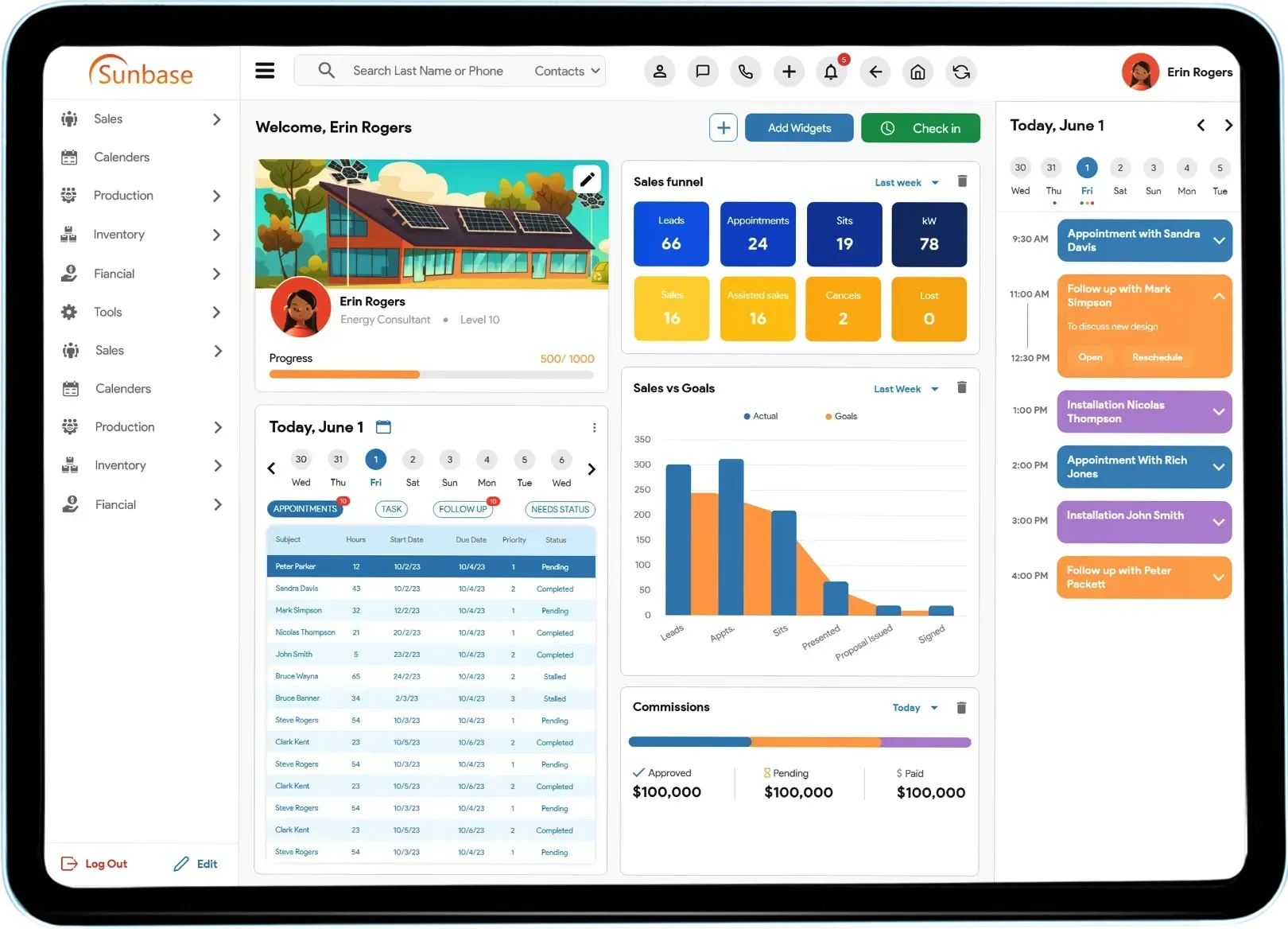
Sunbase software for solar offers a suite of tools to enhance efficiency and productivity throughout the solar business lifecycle, from managing prospects and customers to handling projects, inventory, finances, and reporting.
Benefits of implementing Sunbase
1. All-in-one efficiency

Sunbase serves as a singular hub where solar companies can consolidate their myriad business functions. Companies can streamline workflows, bolster collaboration, and eliminate the complexity of managing multiple software platforms.
2. Centralized Command Center
Sunbase brings all the information about customers, sales, finance, inventory, projects, and reports to one single place, which the organization can easily use at its convenience.
This centralized system provides a high level of agility and support to businesses to enable them to make informed decisions and strive for operational excellence.
3. Flexibility and Scalability
Sunbase solar software solutions is designed to meet the diverse and evolving requirements of solar businesses and offers high adaptability and scalability, one of the main reasons solar businesses are switching from Excel to Sunbase.
Whether you are a new startup or an industry player, Sunbase can help you adapt and scale your growth trajectory efficiently.
4. Time-Saving Automation

Sunbase empowers businesses, solar developers, and installers with cutting-edge workflow automation features, effectively streamlining repetitive tasks and optimizing operational efficiency.
5. Enhanced Decision-Making
Sunbase provides powerful analytics and reporting tools that offer valuable insights into various aspects of the business. Solar companies can make informed decisions, identify areas for improvement, and drive continuous growth and innovation.
Implementing Sunbase Step-by-Step
Step 1: Setting Up User Access and Permissions
Start by creating accounts for each team member in Sunbase, ensuring they have the right access to the tools they need.
Once roles are set, fine-tune permissions to match each person's responsibilities. Sales reps might need access to customer data, while project managers might require more control over project timelines and resources.
Step 2: Configure core software for solar modules
Solar CRM
This one is where we'll organize all your prospect and customer records, making it easy to keep track of every customer.
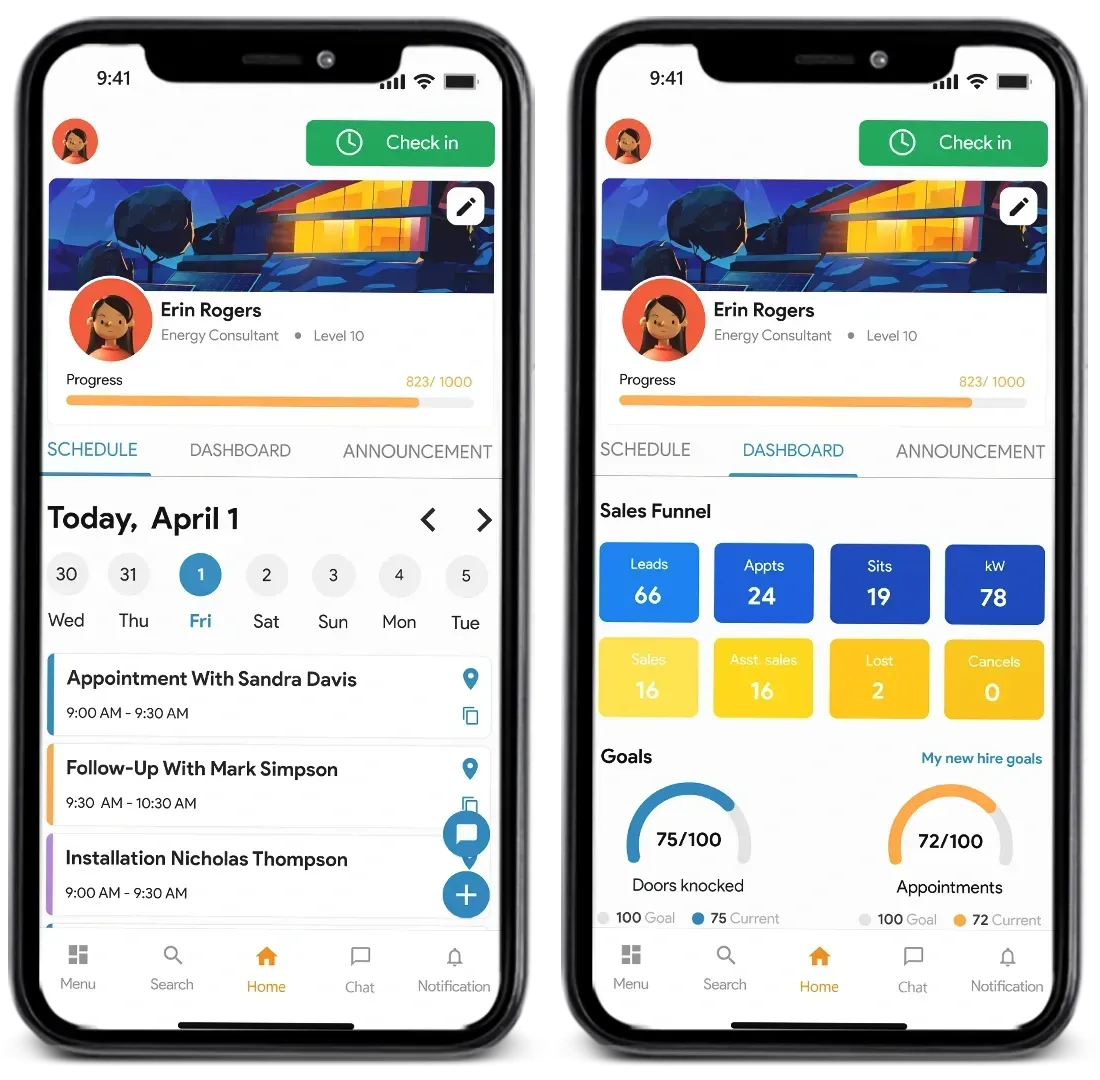
Set up your sales pipeline and opportunities here, so you can keep tabs on your deals and see where you stand with each prospect.
Solar Design Software
Bring your solar projects to life by creating PV array designs and layouts and running simulations in solar design software to ensure they're optimized for efficiency.
Think of it as your virtual workshop where you can experiment with different configurations until you find the perfect fit for your clients.
Solar Proposal Software
Use a built-in solar proposal tool to generate interactive proposals complete with designs, financing options, and even e-signing capabilities. It's like having your virtual showroom where you can showcase your solar solutions in the best possible light.
Solar Project Management Software
Set up task lists and workflows to track your projects from start to finish. Whether it's scheduling installations or managing permits, this solar project management software will keep you on track and schedule every step of the way.
Inventory Management
Let's not forget about your inventory! With Inventory Management, we'll keep a close eye on your stock levels and make sure you have everything in your storage to fulfill a demand.
Plus, you can connect your inventory to your projects so you can easily see what materials are being used where.
Invoicing and Billing
Last but not least, we'll tackle Invoicing and Billing. This is where you'll manage all your accounts receivable and payable, ensuring that your finances are in order and your bills are paid on time.

With this tool, you'll have everything you need to keep your cash flow running smoothly, maintain accuracy, and keep your clients happy. Other tools, along with the ones mentioned above, help you save time throughout the process.
Step 3: Integrate with other systems
Website and lead forms
Integrate your website and lead forms with Sunbase to ensure that any leads captured on your site are seamlessly imported into your CRM.
It's like having a direct pipeline from your website to your Sunbase Solar CRM, making sure no lead slips through the cracks.
Email and text messaging
With the Sunbase solar software platform, you can set up integrations for email and text messaging so you can easily reach out to prospects and customers right from the platform.
Whether sending follow-up emails or scheduling reminders, this integration will streamline your communication process and keep everyone in the loop, making it easier to sell.
Accounting software
Let's keep your financials in sync! With the Sunbase Financial Management tool, you can ensure that your invoices and financial data are seamlessly synced between systems.
Whether you're tracking payments or generating reports, this integration will give you a clear picture of your financial health and streamline your accounting processes.
Integrations are usually where a rollout either clicks into place or bogs down, and it's the step most worth seeing on your own stack before you commit to a timeline.
If you want to check how Sunbase's connected solar software maps to the website forms, email tools, and accounting system you already run, that's the fastest way to de-risk the rest of the implementation.
Step 4: Set up reporting and analytics
Identify key metrics to track
Work together to identify the key metrics that you want to track in Sunbase. Whether it's sales performance, energy production, project progress, or customer satisfaction, make sure you're focusing on the metrics that align with your goals and objectives.
Reporting dashboards help managers make better business decisions by providing real-time analytics for solar business growth, from sales performance to project delivery.
Create reports and dashboards
Now that we know what we're looking for, build some reports and dashboards to keep yourself informed. Using Sunbase Dashboard Reporting tools, you can create custom reports that give you real-time insights into your team.
Review regularly and optimize
Last but not least, make sure to stay on track. Set up regular review sessions to go over your reports and dashboards, making adjustments as needed.
Step 5: Launch and User Adoption
It's time to take the leap and officially launch Sunbase across your organization! From setting a launch date to communicating the benefits of Sunbase to your team, we'll ensure a smooth and successful rollout.
Wrapping Up
Picture this: a business landscape where every detail is at your fingertips, where workflows flow seamlessly, and where automation works tirelessly behind the scenes. That's the power of Sunbase. So, why settle for complexity when you can embrace simplicity?
Follow this step-by-step guide, leverage the power of Sunbase, and watch your business soar to new heights with renewable energy.
It's time to shine bright with the right solar software!
Ready to Stand It Up on Your Own Workflow?
You've got the sequence, permissions, core modules, integrations, reporting, launch. The fastest way to pressure-test it against your actual business is to watch the platform run your real workflow: a lead flowing into a proposal, a project moving through installation, your reports on your metrics.
Most teams switching to Sunbase go live in days, not months, with free onboarding and training so the rollout doesn't fall on one person.
Schedule a quick demo and bring the parts of your current setup you're most worried about migrating.
Frequently Asked Questions
1. How long does it take to implement solar software?
For a small team on a single workflow, a basic rollout, user setup, core CRM and proposal modules, and website lead-form integration, can be live in a few days to two weeks. Larger operations migrating existing data, configuring role-based permissions across departments, and connecting accounting or design tools typically take four to eight weeks, with data migration and team training taking the most time. The realistic driver isn't the software; it's how clean your existing data is and how much of the configuration you do before go-live.
2. Will implementing new software disrupt our active projects and deals?
It doesn't have to, if you sequence it right. The safest approach is to set up and configure the platform in parallel while your current system stays live, migrate historical data during a low-volume window, and run both briefly in tandem before fully cutting over. Start the rollout before your busy season rather than during it, the guide above deliberately front-loads setup and integration so that by launch, the system is ready rather than being built while deals are in motion.
3. How do we get our team to actually adopt the new system?
Adoption fails most often when a platform is purchased and the team is left to figure it out alone. Assign one internal owner for the rollout, set a clear launch date, configure permissions so each role only sees the tools relevant to them (less overwhelm), and use the vendor's onboarding and training rather than skipping it. Mobile-friendly access matters here too — field crews adopt tools they can actually use from a job site, not just a desktop.
4. What should we do with our existing leads and project data before migrating?
Clean it first. Remove duplicates and dead leads, standardize your formats for fields like project stage, lead source, and system size, and decide what to archive versus migrate — old leads with no activity usually don't need to come across. Export clean spreadsheets, since most solar platforms import from that format, and assign one person to own the migration so the result stays consistent. An hour of cleanup before migration saves many hours of fixing problems after.
5. Do we need to replace all our current tools at once, or can we phase it in?
You can phase it. A common path is to stand up the CRM and proposal modules first, since that's where lead leakage and slow quotes cost the most, then bring project management, inventory, and financials online once the sales side is running smoothly. Phasing lowers the adoption burden on your team and lets you prove value on one workflow before expanding — the step-by-step structure above is built to support exactly that kind of staged rollout.
6. Is solar software worth implementing for a smaller solar business?
It depends on your volume. If you're running only a handful of projects a month and managing everything yourself, a full platform can be more overhead than benefit. But once missed follow-ups, slow proposals, or fragmented project tracking start costing you deals — usually as you move past a founder and a few employees — purpose-built software pays for itself by consolidating tools and reducing the manual coordination that scales badly with headcount.
One Platform.
Zero Chaos.
Run Your Entire Business in One Platform
Sunbase replaces your CRM, proposals, scheduling, job tracking, and reporting tools — all inside one clean, connected platform.
About Sunbase
The All-In-One Platform to Run Your Entire Business
Sunbase helps you organize operations, streamline daily workflows, and manage everything - from first customer contact to final project deliver- in one connected system.
Our Mission
- Organize your business.
- Optimize your workflow.
- Automate your dailytasks
Why Businesses Choose Sunbase
One Connected Workflow
Replace scattered tools and manual processes with a single platform that brings together your team, tasks, customers, jobs, and performance data.
🌎 Global Presence
Serving the United States, Canada, India, LATAM, Australia, and 10+ international markets.
👥 11,000+ Users
Trusted by contractors, installers, project managers, sales teams, and field technicians.
🏗️ Built for All Sizes
From small contracting teams to fast-growing enterprises, Sunbase adapts to your workflow.
Stop Managing Your Business Manually. Automate It.
Sunbase automates workflows, reduces mistakes, and helps your team get more done - without hiring extra staff or juggling multiple tools.
Still Managing Your Business Across Multiple Tools?
Bring your CRM, proposals, projects, and operations into one platform built for contractors.