
Solar Design Software for Accurate PV Layout, Shading & Permit-Ready Plans
Cloud-based Solar Design Software to create precise PV system layouts, shading analysis, energy production simulations, and permit-ready design documents for rooftop and ground-mount projects.
- Design rooftop and ground-mount PV systems with accurate layout
- Run shading analysis and solar production simulations
- Generate permit-ready solar design plan sets
- Connect solar design directly with proposals and project workflows
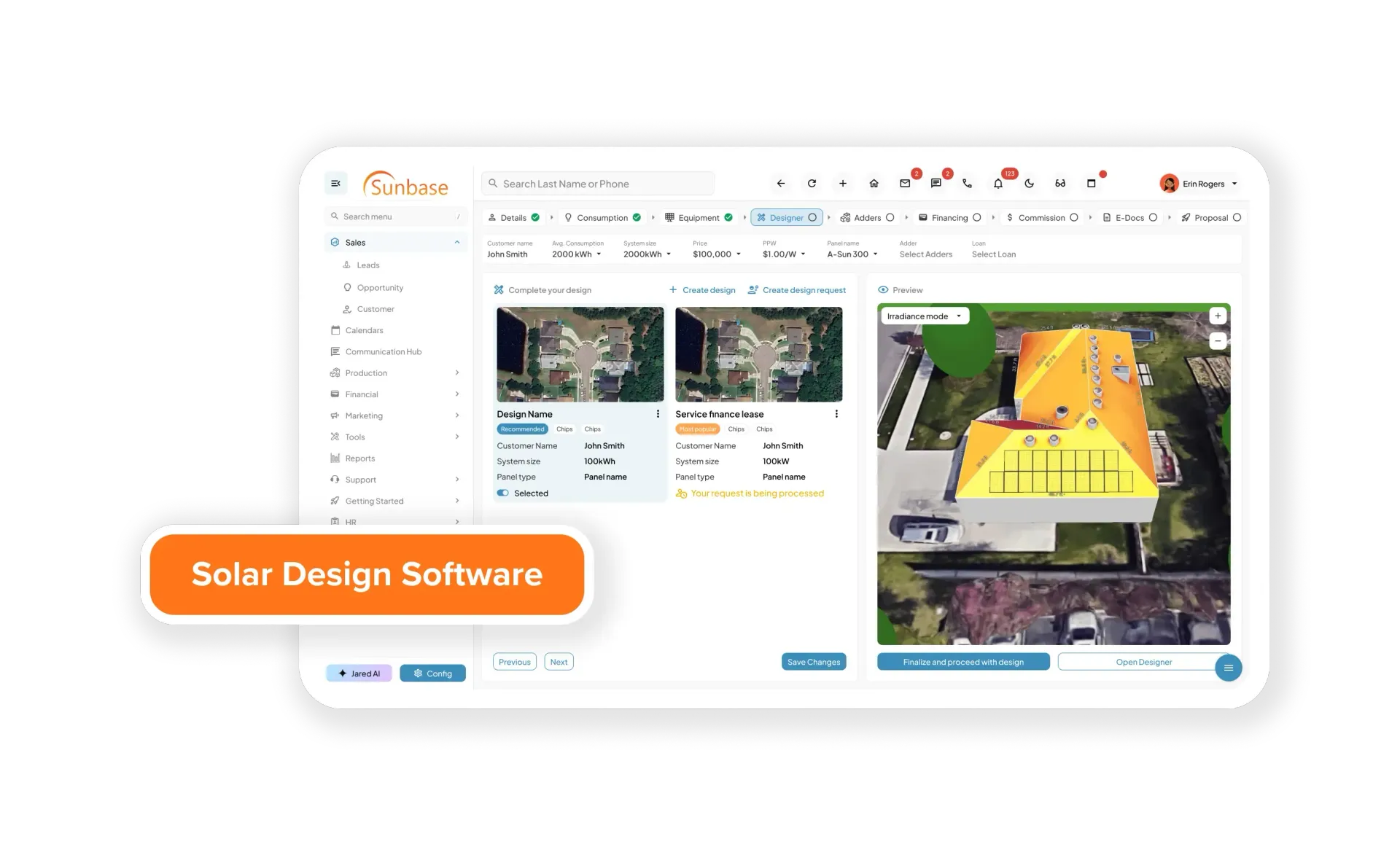
What is Solar Design Software?
Solar design software is a specialized tool used by solar companies, EPCs, and installers to design accurate solar panel layouts based on real-world conditions. It helps transform a simple address or rooftop into a complete solar system design by analyzing factors such as roof structure, tilt, orientation, shading, and available space.
Instead of relying on manual calculations or basic drawings, modern solar design software uses advanced technologies like 3D modeling, satellite imagery, and shading simulations to create optimized panel layouts. This ensures that the system is designed for maximum energy output while minimizing installation errors and rework.
For solar businesses, this software plays a critical role in the entire workflow from initial site assessment and system sizing to proposal generation and customer presentations. By automating complex design tasks, it reduces the time required to create layouts, improves accuracy, and helps teams deliver professional, data-driven proposals faster.
In today’s competitive solar market, solar design software is not just a design tool, it is a core part of the sales teams and operations process, enabling companies to move from lead to installation more efficiently and with greater confidence.
In simple terms:
Solar design software helps you quickly design solar panel systems that are accurate, optimized for performance, and ready for installation or proposal without manual calculations or guesswork.
Challenges with Manual Solar Design
Designing solar systems manually may seem manageable at first, but it quickly becomes inefficient and error-prone as projects scale.
Common challenges include:
- Inaccurate panel layouts
Manual placement often misses optimal tilt, orientation, and spacing, reducing system performance. - Shading miscalculations
Without proper analysis tools, trees, buildings, and obstructions can significantly impact energy output. - Time-consuming design process
Creating layouts, validating calculations, and preparing designs can take hours per project. - Lack of real-time simulation
No clear way to visualize energy production or system performance for customers. - Frequent design revisions
Errors or incomplete data lead to rework during proposal or installation stages. - Disconnected workflows
Sales, design, and operations teams often work in silos, causing delays and miscommunication. - Limited scalability
Manual processes make it difficult to handle higher project volumes efficiently.
Solar design software eliminates these challenges by automating layouts, improving accuracy, and enabling faster, more reliable solar project execution.
Trust Sunbase to Transform Your Solar Design Process
Solar companies struggle with slow layouts, inaccurate shading calculations, and repeated design revisions. Sunbase eliminates these challenges by automating the entire solar design process — from roof detection to optimized panel placement and performance simulation.
Why Solar Companies Are Switching to Design Software
48%
Faster Solar Layout Creation
Generate PV array layouts and roof designs in minutes instead of manual drafting.
37%
Faster Proposal Preparation
Connect solar design outputs directly into proposal workflows.
53%
Fewer Design Revisions
Improve accuracy with shading and production simulations early in the process.
86%
More Accurate Estimates
Use simulation-driven modeling instead of rough rule-of-thumb calculations.
Essential Tools to Simplify Your Solar Business Workflow
Modern solar design software combines automation, simulation, and real-world data to help solar teams design faster and more accurately. These features enable solar companies to design faster, improve accuracy, and move from layout to proposal seamlessly increasing efficiency and close rates.
Panel Layout Optimization
Automatically generate optimized solar panel layouts based on roof structure, tilt, orientation, and available space maximizing energy output and system efficiency.
Shading Analysis
Identify shading from trees, buildings, and obstructions using advanced simulation to ensure accurate energy production estimates.
Remote Rooftop PV Site Assessment
Evaluate roof surfaces, orientation, and usable solar area using remote imagery and mapping data.
3D Roof Modeling
Create precise 3D rooftop models using satellite imagery and mapping data for accurate panel placement and design planning.
Remote Roof Modeling Capabilities
Model roof planes, tilt, azimuth, and usable sections for accurate PV layout planning.
Customizable PV Array Layout & Positioning
Adjust array spacing, orientation, and placement based on structural and code constraints.
Solar Energy Yield & Production Simulation
Run solar production and performance simulations using system size, tilt, and location inputs.
Flexible Design Elements & System Components
Configure modules, inverters, strings, and system components within each design.
PV System Production & Financial Estimation
Estimate system output and financial performance from design parameters.
Complete Solar Design Project Management
Store and manage multiple solar designs, revisions, and versions per project.
Seamless Design-to-Proposal Integration
Send approved solar layouts directly into proposal and quoting workflows.
Solar Design Integration With CRM Sales Workflows
Connect solar design data with CRM, proposal, and contract systems.
Why Choose Sunbase Solar Design Software?
- Design Accuracy First
Build solar PV layouts using structured roof modeling, module placement controls, and simulation inputs instead of manual sketches.
- Simulation-Driven Performance
Run shading and energy production simulations to validate expected system output before proposal approval.
- Solar-Specific Workflow Integration
Connect solar design outputs with proposals, contracts, and project workflows in one platform.
- Built for Installers & EPC Teams
Designed for real solar project workflows from site evaluation to permit-ready design packages.
The All-In-One Tool Every Solar Professional Needs to Succeed
Smart PV Layout Engine
Design accurate solar arrays across complex roof shapes
Advanced Solar Simulation
Model shading and production before installation
Real-Time Collaboration
Share solar layouts and revisions across teams
Permit-Focused Design Outputs
Prepare designs suitable for permit documentation
Manual Solar Design vs Solar Design Software
| Aspect | Manual Solar Design | Solar Design Software |
|---|---|---|
| Design Time | Time-consuming — takes hours per project | 70% faster — complete designs in minutes |
| Accuracy | Prone to human errors in calculations and placement | High accuracy with automated calculations and real-time data |
| Shading Analysis | Limited or inaccurate without proper tools | Advanced shading analysis with precise energy impact insights |
| 3D Modeling | No 3D visualization — difficult to interpret layouts | Realistic 3D roof modeling for better planning and clarity |
| Panel Layout Optimization | Manual placement may miss optimal configurations | Automated layout optimization for maximum efficiency |
| System Calculations | Manual system sizing and energy calculations | Automated system sizing, energy yield, and performance simulation |
| Project Management | Difficult to track revisions and versions | Centralized management of designs, revisions, and projects |
| Proposal Speed | Slow proposal creation and turnaround | Instant conversion from design to professional proposals |
| Workflow Integration | Disconnected tools and siloed teams | Seamless integration with CRM, proposals, and contracts |
How Solar Design Software Works
From address input to final proposal, solar design software automates every step of the design process reducing time, improving accuracy, and streamlining execution.
Remote site and roof assessment
Roof plane and surface modeling
PV array layout and module placement
Setback and spacing adjustments
Shading and obstruction analysis
Energy yield and production simulation
System sizing and inverter configuration
Permit-ready design preparation
Design handoff to proposal & sales team
Advanced Capabilities for Solar Design Accuracy
Permit-Ready Solar Templates
Use structured templates to prepare solar design layouts.
Automated Solar Design Workflows
Standardize solar layout and simulation steps across your team.
Real-Time Solar Document Sharing
Share solar designs, reports, and layouts across teams and clients.
Integrated Client & Project Portal
Store solar design files, revisions, and notes in one project space.
E-Signature & Approval Integration
Send solar design approvals and proposal packages for digital signoff.
Real-Time Design Notifications & Alerts
Track design revisions and approvals without manual follow-ups.
Integrated with Your Solar Sales and Proposal Workflow
Sunbase Solar Design Software connects with:
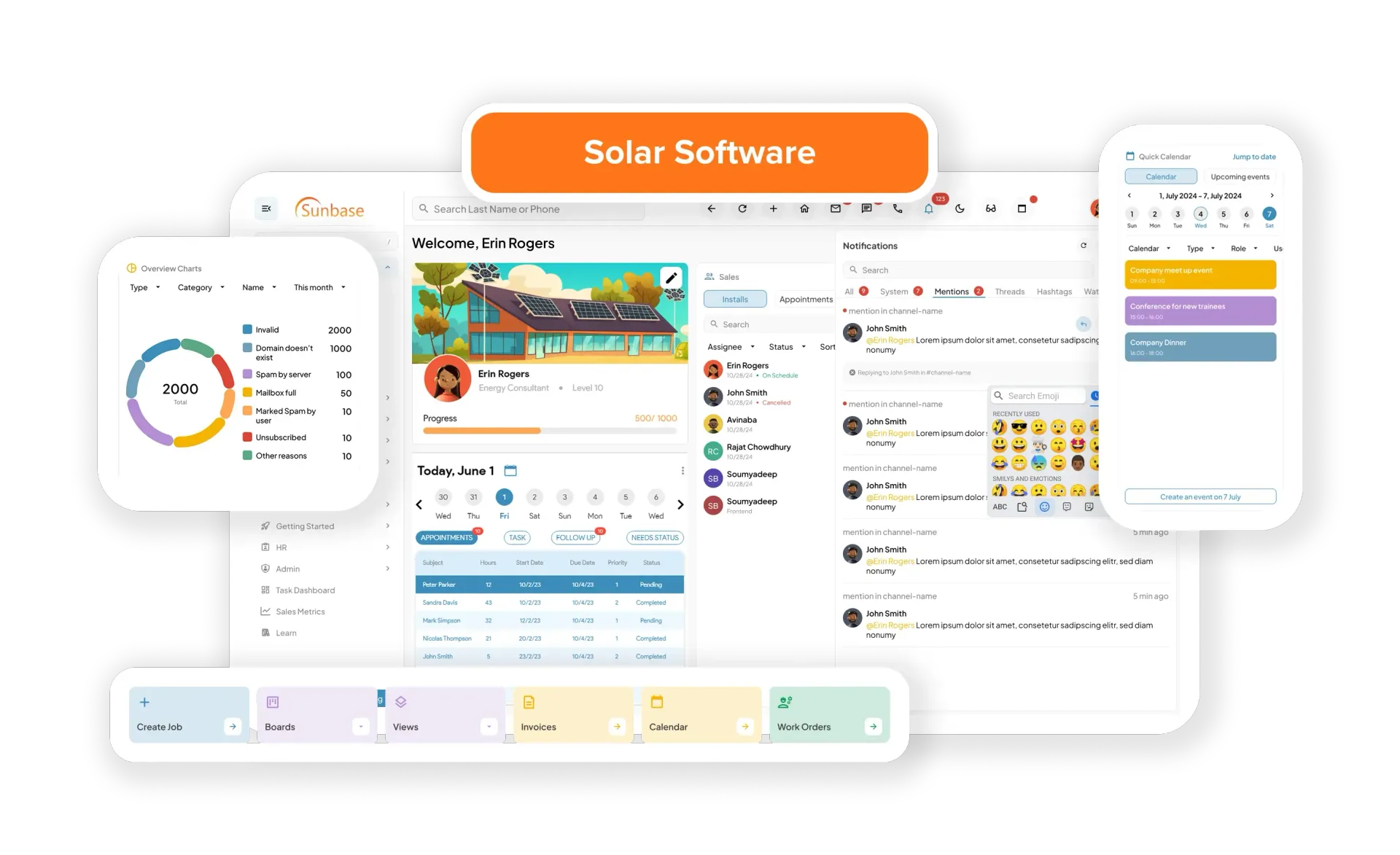
Solar Design Questions Answered!
Ready to Design Accurate Solar PV Systems faster?
Generate PV layouts, production estimates, and design visuals that flow directly into your solar proposals and sales process.

